
You've just unboxed a new fitness tracker, excited to start gathering data on your workouts, sleep, and recovery. But before you dive in, there's a crucial step many people skip: calibration. The default, out-of-the-box settings are based on averages, not on you. Taking a few minutes to properly set up and calibrate your device will ensure the data you collect is more accurate, personal, and ultimately, more useful.
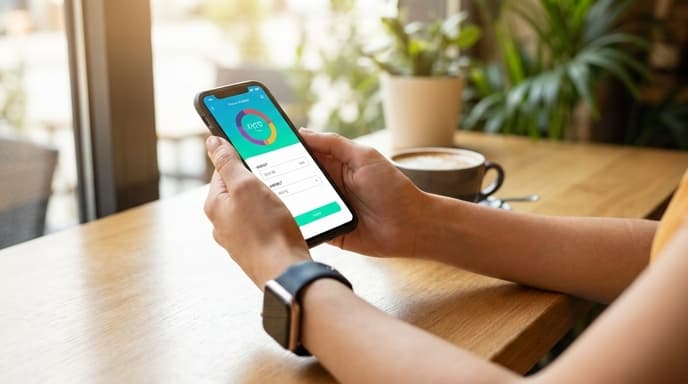
This guide walks you through the essential steps to calibrate any new fitness wearable, turning it from a generic gadget into a personalized health tool.
Step 1: Enter Accurate Personal Data
This is the most fundamental step. Your device's algorithms for calculating calorie burn, VO2 max, and other metrics rely heavily on your personal statistics. In your device's companion app, navigate to your profile and ensure the following are correct:
- Date of Birth: Used to estimate your maximum heart rate.
- Height and Weight: Critical for Basal Metabolic Rate (BMR) and calorie expenditure calculations. Update your weight periodically.
- Gender: Biological sex is used in many physiological formulas for estimations.
Step 2: Set Your Heart Rate Zones
Most devices will automatically set your heart rate zones based on a generic formula (like 220 minus your age). This is often inaccurate. If you know your true maximum heart rate from a field test or have had it tested in a lab, enter it manually. You can also customize your zones based on your lactate threshold heart rate if you're a more advanced athlete. Correct zones make your training data—like time spent in Zone 2—far more meaningful.
Step 3: Calibrate the GPS and Accelerometer
Your device uses an accelerometer to count steps and track indoor movement, and GPS for outdoor distance and pace. These need to be calibrated to your unique stride and movement patterns.
The best way to do this is to perform several outdoor runs or walks with a clear GPS signal. For the first few activities, go to an open area away from tall buildings. Walk or run for at least 20-30 minutes. During this time, the device cross-references the accurate GPS distance data with the data from its internal accelerometer, learning your stride length at different paces. This dramatically improves the accuracy of treadmill runs and daily step counts later on.
Step 4: Ensure a Proper Fit
Calibration isn't just about software; it's also physical. For accurate heart rate readings, your device needs to be worn correctly. It should be snug enough that it doesn't slide around during exercise, but not so tight that it cuts off circulation. It should sit about one to two finger-widths above your wrist bone, where the contact between the optical sensors and your skin will be most consistent.
Step 5: Be Patient Through the Learning Period
Many advanced metrics, like Readiness Scores and VO2 Max estimates, require a baseline. Your device needs time to learn what's 'normal' for you. Expect to wear your new wearable for at least one to two weeks, and sometimes up to a month, before the data and insights become fully personalized and reliable. During this period, wear it as consistently as possible, especially during sleep.
Frequently Asked Questions
Why is my new watch's calorie count so different from my old one?
Different brands use different algorithms to estimate calorie burn. Furthermore, if your personal data was incorrect on your old device or isn't yet calibrated on your new one, you can see large discrepancies. Focus on the trends from one consistent device rather than comparing absolute numbers between them.
My GPS track looks jagged and inaccurate. What can I do?
Before starting an outdoor activity, wait for the device to confirm it has a strong GPS lock. This is often indicated by a green icon or a vibration. Starting before it has a lock can lead to inaccurate tracking. Running in areas with a clear view of the sky also helps.
How often should I calibrate my device?
You should perform the initial GPS calibration when the device is new. After that, it's a good idea to update your weight in the app whenever it changes significantly. You don't need to constantly recalibrate, but repeating the outdoor walk/run calibration process after a major software update can sometimes be beneficial.
Key Takeaways
- Accurate personal data (age, height, weight, gender) is the foundation for reliable metrics.
- Manually set your max heart rate if you know it, as default formulas are often inaccurate.
- Calibrate the device's sensors by performing a few 20-30 minute outdoor walks or runs with a strong GPS signal.
- Wear the device snugly and in the correct position on your wrist for the best heart rate readings.
- Allow for a 'learning period' of several weeks for the device to establish your personal baselines.
Related Reading
- Smart Rings vs. Watches: Choosing the Right Wearable for Your Data
- What Your Resting Heart Rate (RHR) Reveals About Your Recovery
- How to Build and Use a Workout Log to Track Your Progress