
You invest in a wearable to get objective data about your training, recovery, and health. But what happens when that data seems off? An unusually high heart rate on an easy run, a GPS map that shows you running through buildings, or a sleep score that doesn't reflect how you feel can undermine your trust in the device. Garbage in, garbage out.
Learning to be a critical user of your own data is essential. This guide covers the most common types of bad wearable data, why they happen, and the practical steps you can take to improve the accuracy of your device.
Problem: Inaccurate Heart Rate Readings
This is the most common issue. You might see sudden, illogical spikes or dropouts in your heart rate graph, or a reading that is clearly too high or too low for your effort level. This is especially common during interval training or activities that involve a lot of wrist flexion, like kettlebell swings.
Common Causes and Solutions:
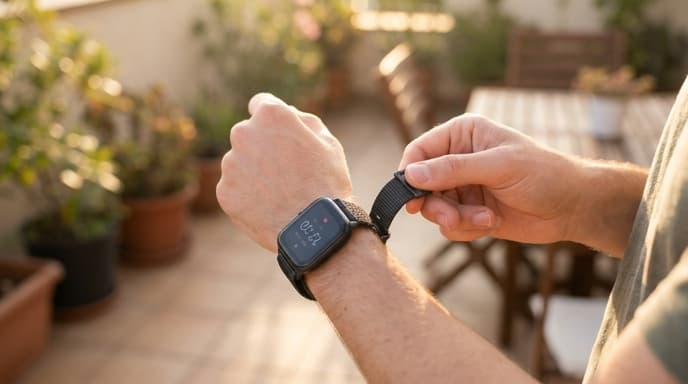
- Poor Fit: This is the number one cause. An optical heart rate sensor needs to maintain constant contact with your skin. If the watch is too loose, external light can leak in and disrupt the reading. Solution: Tighten the strap so it's snug but not uncomfortable. You shouldn't be able to see the green sensor light from the side.
- Sensor Placement: Wearing the watch directly over your wrist bone can interfere with readings. Solution: Move the device slightly higher up your forearm, where there's better blood flow and a flatter surface.
- Cold Weather: Cold can reduce blood flow to your extremities, making it harder for the sensor to get a good reading. Solution: Warm up thoroughly before starting your activity and try to keep the watch covered with a sleeve.
- Signal Lock-On (Cadence Lock): Sometimes the sensor can mistakenly lock onto your running cadence instead of your heart rate, often resulting in a reading around 160-180 bpm. Solution: Stop for a moment, let the reading reset, and ensure the watch is snug before continuing.
Problem: GPS Drift and Inaccurate Distance
Your post-run map shows you zigzagging across streets or cutting through corners, and the final distance seems short or long. This is known as GPS drift.
Common Causes and Solutions:
- Weak GPS Signal: Tall buildings, dense tree cover, and deep canyons can block or reflect satellite signals. Solution: When possible, run in open areas. If you're in a city, expect some level of inaccuracy.
- Not Waiting for a Lock: Starting your activity before the device has acquired a strong GPS signal is a primary cause of initial inaccuracy. Solution: Always wait on the pre-activity screen until your watch gives you a clear 'GPS Ready' or 'GPS Lock' signal. This can take 30-60 seconds.
- GPS Mode: Many watches have different GPS settings (e.g., GPS only, GPS + GLONASS, UltraTrac). Solution: For best accuracy, use a setting that combines multiple satellite systems. Avoid power-saving GPS modes unless you need the extra battery life, as they reduce accuracy by pinging your location less frequently.
Problem: Poor Sleep Tracking
Your device says you got plenty of deep sleep, but you feel exhausted, or it completely misses periods where you were awake during the night.
Common Causes and Solutions:
- Inconsistent Sleep Schedule: Wearable algorithms learn your patterns. Going to bed and waking up at wildly different times can confuse them. Solution: Try to maintain a consistent sleep schedule, even on weekends.
- Manual Mode Issues: Some devices require you to manually start a 'sleep mode'. Forgetting to do so will result in no data. Solution: Check your device settings and enable automatic sleep detection if available.
- Misinterpreting Stillness: If you lie in bed reading or watching TV for an hour before sleeping, the lack of movement might be misinterpreted as light sleep. Solution: Try to only get into bed when you intend to sleep.
Frequently Asked Questions
My readiness score is low but I feel great. Is it wrong?
Possibly. Readiness scores are an algorithmic interpretation of metrics like HRV, RHR, and sleep. They are a guide, not a command. Always prioritize how your body actually feels. If there's a consistent mismatch, it could point to a data quality issue with one of the underlying metrics.
Should I get a chest strap heart rate monitor?
If you need the highest possible heart rate accuracy, especially for interval training, a chest strap is the gold standard. It measures the electrical signals of your heart directly (like an EKG) and is not prone to the issues that affect optical wrist sensors.
How do I clean my device's sensors?
Over time, sweat and grime can build up on the back of your watch. Gently wipe the sensors with a soft, lint-free cloth lightly dampened with water. Dry it thoroughly before wearing it again.
Key Takeaways
- A snug, properly placed fit is the most important factor for accurate wrist-based heart rate.
- Always wait for a full GPS lock before starting an outdoor activity to ensure accurate distance and mapping.
- Consistent sleep schedules and good sleep hygiene can improve the accuracy of sleep stage tracking.
- Treat your wearable data as a set of signals to be interpreted, not as infallible truth.
- When in doubt, prioritize how you feel over what your device tells you.
Related Reading
- What Your Resting Heart Rate (RHR) Reveals About Your Recovery
- Using Heart Rate Variability (HRV) to Guide Your Training Intensity
- How Accelerometers and Gyroscopes Track Your Movement and Sleep