
The calorie count on your fitness tracker is one of its most prominent features, but it's also one of the most misunderstood. It’s not a direct measurement, like a thermometer reading temperature. Instead, it’s a sophisticated estimate based on your personal data and information gathered by a suite of sensors.
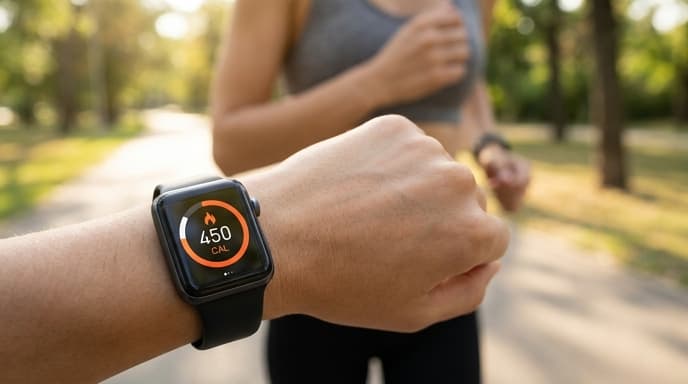
Understanding how your device arrives at this number helps you interpret it correctly—as a useful trend line, not an exact count. This guide breaks down the process, from your baseline metabolism to the data your tracker collects every second.
Your Baseline: Basal Metabolic Rate (BMR)
The foundation of any calorie calculation is your Basal Metabolic Rate (BMR). This is the number of calories your body would burn over 24 hours if you did nothing but rest. It’s the energy required to keep your basic systems running: breathing, circulation, cell production, and so on.
When you set up your device, you provide key information:
- Age: Metabolic rate generally declines with age.
- Sex: Men typically have more muscle mass and a higher BMR than women.
- Height and Weight: A larger body requires more energy to maintain.
Your tracker uses this data in a standard formula (like the Mifflin-St Jeor or Harris-Benedict equation) to calculate your BMR. This number represents the majority of the calories you burn in a day, and it runs in the background whether you're working out or watching TV.
Adding Activity: How Sensors Track Movement
The second layer of the calculation is activity calories. This is where the sensors in your wearable come into play. The most important one for this task is the accelerometer, which detects motion. It measures how much you move, how often, and how intensely.
The device translates this motion data into an estimate of energy expenditure. A brisk walk registers more movement than sitting at a desk, so the device assigns it a higher calorie value. For activities like running and cycling, it combines accelerometer data with GPS data (if available) to factor in speed and distance, further refining the estimate.
The Role of Heart Rate Data
Most modern fitness trackers include an optical heart rate sensor. This is a crucial component for improving the accuracy of calorie burn estimates, especially during exercise. Heart rate is a good proxy for effort; the harder you work, the faster your heart beats, and the more oxygen your body consumes to produce energy.
By monitoring your heart rate, your tracker can tell the difference between a slow walk and a strenuous hill climb, even if the amount of physical movement is similar. It uses your heart rate data, compared against your personal resting and maximum heart rates, to gauge the intensity of your effort and assign a more accurate calorie value to that activity.
Why the Numbers Are Never Perfect
Despite all this technology, the final number is still an estimate. Several factors introduce potential inaccuracies:
- Individual Variation: Standard BMR formulas don't account for individual differences in body composition (muscle vs. fat) or genetics.
- Sensor Limitations: An optical heart rate sensor can be affected by skin tone, tattoos, or a loose-fitting band. An accelerometer can't always tell if you're lifting a heavy weight or a light one.
- Activity Type: Trackers are best at estimating calorie burn for steady-state cardio like running. They are less accurate for strength training or high-intensity interval training (HIIT), where heart rate can lag behind effort.
Think of the number as a guide. Use it to compare the relative effort of different days or workouts, not as a precise figure to dictate your diet down to the last calorie.
Frequently Asked Questions
How accurate is my watch's calorie counter?
It's more accurate for trends than for absolute numbers. While some studies show deviations of 20% or more, the data is still useful for comparing one day's activity to another. It's a good directional tool.
Why does my tracker say I burned calories while I was sleeping?
Your device includes your Basal Metabolic Rate (BMR) in its daily total. You are constantly burning calories to keep your body functioning, even when you're asleep. The number you see in the morning is the estimate of your BMR overnight.
Can I improve the accuracy of my tracker?
Yes. Ensure your personal information (age, weight, height, sex) is up-to-date in the app. Wear the device snugly against your skin, positioned correctly on your wrist, to get the best possible heart rate reading.
Key Takeaways
- Wearables estimate calorie burn, they do not measure it directly.
- The calculation starts with your Basal Metabolic Rate (BMR), based on your age, sex, height, and weight.
- Sensors like accelerometers and heart rate monitors add 'activity calories' to the BMR baseline.
- Heart rate data helps gauge the intensity of an activity, improving the estimate over motion alone.
- Use the data to track trends and relative effort, not as a perfectly accurate scientific measurement.
Related Reading
- What Your Resting Heart Rate (RHR) Reveals About Your Recovery
- Using Heart Rate Variability (HRV) to Guide Your Training Intensity
- A Practical Guide to Autoregulation in Your Training