
You've likely seen the term 'high-refresh-rate' on gaming monitors, with numbers like 144Hz, 240Hz, or even higher. While marketing often presents these as essential for any serious gamer, the real-world benefit can be confusing. A higher number isn't always better for everyone. This guide will demystify the key specs so you can decide if a high-refresh-rate monitor is the right upgrade for you.
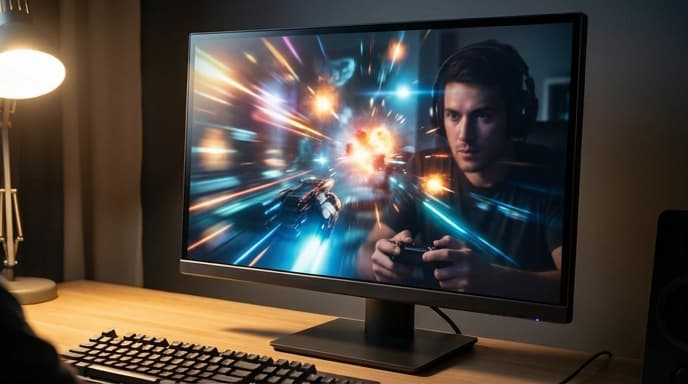
We'll break down what refresh rate actually is, how it works with your graphics card's frame rate (FPS), and what other specs, like response time and adaptive sync, you need to consider for a genuinely smooth gaming experience.
What Is Refresh Rate (Hz)?
A monitor's refresh rate, measured in Hertz (Hz), is the number of times per second the display updates the image on the screen. A standard office monitor is typically 60Hz, meaning it refreshes the picture 60 times every second. A 144Hz gaming monitor refreshes 144 times per second.
This increased refresh rate creates a noticeably smoother and more fluid image, especially in fast-moving scenes. On a 60Hz display, you might see motion blur or 'judder' as objects move quickly across the screen. On a 144Hz or higher display, that motion appears much clearer and more lifelike. This is a huge advantage in competitive games where tracking fast-moving targets is critical.
Response Time: The Other Half of Speed
Response time is how quickly a pixel on the screen can change from one color to another (usually measured from grey-to-grey). It's measured in milliseconds (ms). If a monitor's pixels can't change color fast enough to keep up with the refresh rate, it can cause 'ghosting' or 'smearing,' where a faint trail is visible behind moving objects.
For high-refresh-rate gaming, you want a low response time, typically advertised as 1ms. This ensures that the clarity gained from the high refresh rate isn't ruined by blurry pixels. Be aware that manufacturers can measure this in different ways, so it's always best to look at independent reviews for real-world performance.
Adaptive Sync: Tying It All Together
Your graphics card produces frames at a variable rate (FPS), while your monitor refreshes at a fixed rate (Hz). When these two are out of sync, it can cause an ugly visual artifact called screen tearing, where the monitor displays parts of multiple frames at once.
Adaptive sync technology solves this by allowing the monitor to adjust its refresh rate in real-time to match the FPS output of your GPU. This creates a perfectly smooth, tear-free experience. The two main types are:
- NVIDIA G-Sync: Requires a compatible NVIDIA graphics card.
- AMD FreeSync: Requires a compatible AMD graphics card. Many modern monitors are also 'G-Sync Compatible,' meaning they are FreeSync monitors that have been certified by NVIDIA to work well with their cards.
Frequently Asked Questions
Can my PC even run a high-refresh-rate monitor?
To benefit from a 144Hz monitor, your PC needs to be able to run your favorite games at or near 144 frames per second (FPS). If your graphics card can only manage 60 FPS, a 144Hz monitor won't provide a smoother experience. Always check your in-game performance first.
Is there a big difference between 144Hz and 240Hz?
The jump from 60Hz to 144Hz is dramatic and immediately noticeable. The jump from 144Hz to 240Hz is much more subtle and primarily benefits highly competitive esports players who need every possible advantage. For most gamers, 144Hz is the sweet spot for performance and value.
Does refresh rate matter for non-gaming tasks?
Yes, even moving your mouse cursor or scrolling through web pages feels smoother on a high-refresh-rate display. While not essential for productivity, it creates a more pleasant and premium user experience.
Key Takeaways
- Refresh Rate (Hz): How many times per second the screen updates. Higher means smoother motion.
- Response Time (ms): How fast pixels change color. Lower is better to avoid 'ghosting'.
- FPS and Hz: Your PC's frame rate (FPS) must be high enough to take advantage of a high refresh rate (Hz).
- Adaptive Sync: G-Sync or FreeSync prevents screen tearing by syncing your monitor and GPU.
- 144Hz is the sweet spot: For most gamers, the upgrade from 60Hz to 144Hz offers the most significant and noticeable improvement.
Related Reading
- How to Choose the Right GPU for Your Gaming PC
- Understanding Gaming Mouse Sensors and DPI
- How to Choose a Mechanical Keyboard Switch for Your Playstyle