
Choosing a mechanical keyboard is about more than just aesthetics. The tiny mechanism under each keycap, called a switch, defines how every keystroke feels and sounds. Picking the right one can make you faster and more accurate in-game, or more comfortable during long typing sessions. This guide breaks down the three main types of mechanical switches so you can find your perfect match.
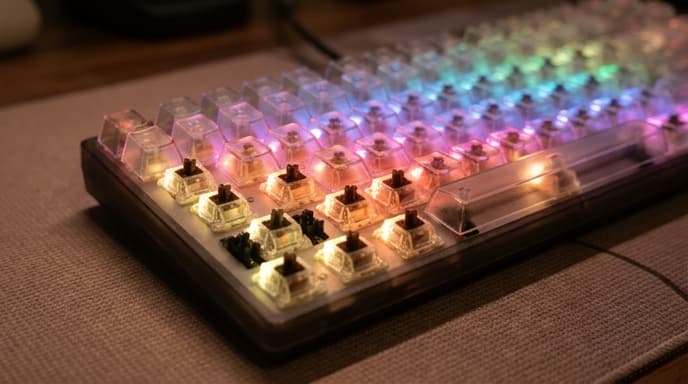
Understanding the core concepts—actuation, travel, and feedback—is the first step. From there, you can confidently choose between the smooth action of a linear switch, the satisfying bump of a tactile one, or the audible click of a clicky switch.
Linear Switches: For Speed and Smoothness
Linear switches offer a smooth, consistent keystroke from the moment you press the key until it bottoms out. There is no tactile bump or audible click to overcome. This uninterrupted path makes them a favorite among gamers, especially in fast-paced genres where rapid, repeated keystrokes are common.
Best for:
- Fast-paced gaming: The lack of a bump allows for quicker actuation, which can be an advantage in competitive FPS or MOBA games.
- Quiet environments: While not silent, they are generally the quietest mechanical switch type, making them suitable for office use or shared spaces.
The main drawback is that the lack of feedback can lead to more accidental keypresses for those not used to them. It's easy to press a key without realizing it if you rest your fingers heavily on the keyboard.
Tactile Switches: The All-Around Performer
Tactile switches provide a noticeable 'bump' in the middle of the key travel. This feedback confirms that your keystroke has been registered without needing to press the key all the way down. This makes them a versatile choice for both typing and gaming.
Best for:
- Typing accuracy: The bump helps you learn to stop pressing after actuation, which can reduce finger fatigue and increase typing speed over time.
- Hybrid use: If you use your keyboard equally for work and play, a tactile switch is often the perfect middle ground.
The bump provides clear confirmation of a keypress, reducing errors and making for a more satisfying typing experience. For gaming, they offer more deliberate action than linear switches, which some players prefer.
Clicky Switches: For Audible Feedback
Clicky switches are a variation of tactile switches. They have the same bump, but it's paired with a distinct, loud 'click' sound. This type of switch provides the most feedback possible, confirming each keystroke with both feel and sound.
Best for:
- Typists who love feedback: The sound can be incredibly satisfying and can help some people get into a typing rhythm.
- Dedicated writing spaces: The noise is a significant factor. These are generally not suitable for open offices, libraries, or late-night gaming sessions if others are around.
While some people enjoy gaming on clicky switches, the mechanism that creates the click can sometimes lead to slightly less consistent performance for very rapid presses compared to linear or tactile switches.
Frequently Asked Questions
What do the different colors of switches mean?
Switch colors, like Red, Brown, and Blue, are often used by manufacturers to denote the switch type. Typically, Reds are linear, Browns are tactile, and Blues are clicky. However, this is not a universal standard, so always check the specifications for the switch type rather than relying on color alone.
What is actuation force?
Actuation force is the amount of pressure, measured in grams (g), required to register a keystroke. A lower number means a lighter touch is needed. Gamers often prefer lighter switches (around 45g) for speed, while some typists prefer heavier switches (60g or more) to prevent accidental presses.
Are mechanical keyboards better than membrane keyboards?
Mechanical keyboards are generally more durable, precise, and offer a better typing experience than the rubber-dome membrane keyboards found in most budget setups. The ability to choose a switch type that suits your personal preference is a major advantage.
Key Takeaways
- Linear switches are smooth and fast, making them ideal for competitive gaming.
- Tactile switches have a noticeable bump for feedback, making them great all-rounders for typing and gaming.
- Clicky switches add a loud 'click' to the tactile bump, providing maximum feedback for typists.
- The switch type (linear, tactile, clicky) is the most important factor for the keyboard's feel.
- Consider your environment; clicky switches are loud and not ideal for shared spaces.
Related Reading
- How to Choose a High-Refresh-Rate Monitor for Gaming
- A Guide to Gaming Mouse Sensors and DPI
- Building an Ergonomic Desk Setup for Work and Play