
Phishing schemes, session hijacking, and SIM-swap attacks make SMS codes and email verifications unsafe for brokerage accounts. Standard FIDO2 hardware keys provide phishing-resistant security through the WebAuthn standard, but basic keys require only a physical touch—meaning anyone with the key and your device PIN can sign in. Biometric FIDO2 keys increase security by embedding a fingerprint scanner directly on the hardware key.
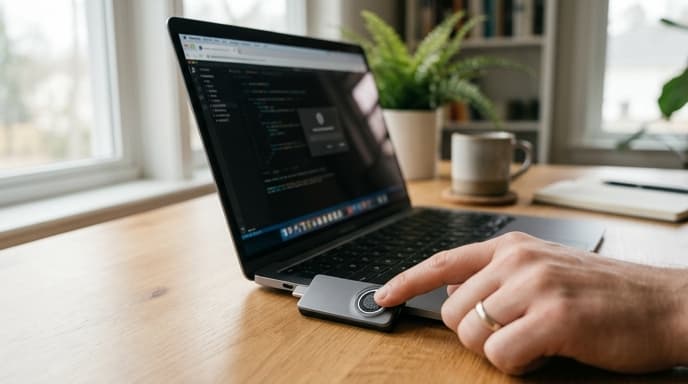
Evaluating biometric tokens requires checking Match-on-Chip security, hardware tamper certifications, and connection interfaces.
Match-on-Chip Architecture: Why Fingerprint Data Stays Offline
The primary concern with biometric hardware is fingerprint privacy. Poorly designed peripherals send raw fingerprint scans to the host computer or phone for processing, leaving your biometrics vulnerable to software logging.
Secure FIDO2 hardware uses Match-on-Chip (MoC) architecture:
- When you enroll your finger, the onboard capacitive sensor captures the ridge pattern and converts it into an encrypted mathematical template.
- This template stays inside an isolated memory block in the key's Secure Element.
- During authentication, the comparison between your finger and the template happens entirely inside the key's internal chip.
- The key sends only an approved cryptographic signature to the browser. The host computer, operating system, and website never see or store your fingerprint image.
Secure Element Certifications: EAL6+ and FIDO Level 3
The physical chip protecting your cryptographic keys determines how well the hardware resists physical probing, side-channel leaks, and voltage manipulation:
- Common Criteria (CC) EAL6+: Look for security keys with controllers evaluated at Common Criteria EAL6+. This rating confirms the chip resists sophisticated laboratory attacks, power analysis, and fault injection.
- FIDO Authenticator Certification: The FIDO Alliance tests hardware across distinct security tiers. Basic keys hold Level 1 (L1), which verifies standard software protocol support. Biometric keys built for high-security accounts hold Level 2 or Level 3 (L3/L3+) certification, confirming physical hardware tamper resistance.
Interface Versatility: USB-A, USB-C, and Contactless NFC
A hardware key must work across both desktop computers and mobile devices to remain practical:
- Dual USB-C and NFC: The most flexible layout. The USB-C connector plugs straight into modern laptops, desktops, and current phones, while the internal NFC antenna lets you tap the key against an iPhone or Android device for mobile logins.
- Fallback PIN authentication: Biometric keys allow you to register multiple fingers (typically up to five or ten). If an injured finger cannot be read, the key falls back to a device PIN entered through your keyboard.
- Resident Key (Passkey) storage: Make sure the token supports FIDO2 discoverable credentials (resident keys). Basic keys hold fewer than 25 passkeys, while higher-capacity models store 100 or more, letting you keep credentials for multiple banks, brokerages, and email providers on a single token.
Frequently Asked Questions
What happens if I cut or injure my registered finger?
Biometric keys allow you to enroll multiple fingers during setup, such as index fingers and thumbs on both hands. If an injury prevents reading one finger, you can use an alternate enrolled finger or enter your hardware backup PIN.
Can someone unlock my financial accounts with a photo of my fingerprint?
No. Capacitive sensors measure small electrical changes caused by the ridges and valleys of living skin. Flat photographs and paper prints do not conduct electricity this way and will not trigger the sensor.
Do all retail banks support biometric FIDO2 hardware keys?
Direct WebAuthn support varies among retail banks. However, you can use biometric FIDO2 keys to secure the password manager, primary email account, and brokerage profiles tied to your financial accounts, protecting your password-reset paths.
Key Takeaways
- Biometric FIDO2 keys require physical fingerprint verification before authorizing financial account logins.
- Match-on-Chip architecture processes fingerprint comparisons inside the key, never sending raw biometrics to the computer.
- Look for Common Criteria EAL6+ and FIDO Alliance Level 2 or 3 certifications for verified hardware tamper resistance.
- Choose dual-interface USB-C and NFC keys to cover both desktop browsers and mobile devices.
- Enroll multiple fingers and set a backup PIN to avoid account lockouts if a finger is injured.
Related Reading
- Hardware Security Keys: Comparing FIDO2, NFC, and USB-C Specs for Banking
- WebAuthn Discoverable Credentials vs. Standard FIDO2 for Brokerage Logins
- Passkeys, Banking Security, and Device Recovery: How WebAuthn Changes Logins