
Using mobile phone cameras to digitize receipts, property tax bills, and annual statements often yields skewed perspectives, low contrast, and omitted pages. When maintaining thorough tax documentation, using dedicated document scanners for tax records turns physical paperwork into searchable, audit-ready digital archives.
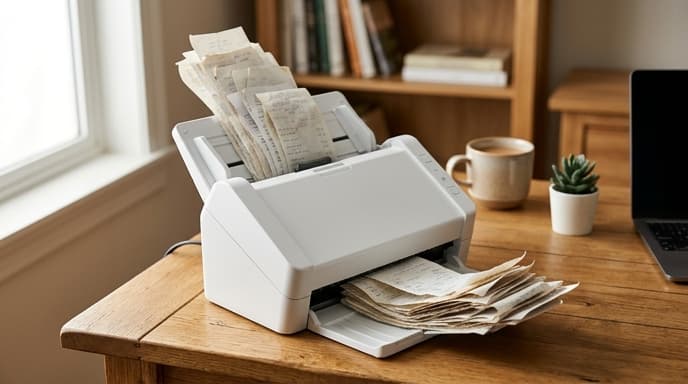
Unlike flatbed glass scanners or smartphone camera lenses, dedicated sheet-fed scanners are built for volume, varying paper weights, and automated optical processing.
Sheetfed Automatic Document Feeders vs Flatbed Units
Flatbed scanners capture clean, high-resolution images, but scanning a thirty-page mortgage package or dozens of charitable receipts one by one on glass takes too long. Sheetfed desktop units pull pages automatically through a compact feed path using motorized rubber pick rollers.
Check the rated Automatic Document Feeder (ADF) capacity before buying. For household tax filing, a thirty- to fifty-sheet ADF allows you to load an entire tax return package in a single batch. Ensure the transport path has a straight-through discharge option, which prevents thick cardstock statements or fragile vintage receipts from jamming.
Dual CIS Sensors and Single-Pass Duplexing
Many financial documents print disclosures or account details on both sides of the page. Re-feeding paper through a manual duplex feeder causes feed jams and misplaced pages.
- Single-pass duplex: Choose scanners with two Contact Image Sensor (CIS) arrays positioned opposite each other along the paper path. The scanner captures both sides of a document in a single physical pass, cutting scanning time in half.
- Sensor architecture: CIS sensors require no warm-up time, draw minimal energy, and fit inside compact enclosures, making them practical for desktop use compared to bulky CCD lens systems.
- Optical resolution: For financial ledgers, 300 dots per inch (DPI) balances optical character recognition (OCR) accuracy and file size. Scanning above 600 DPI is rarely necessary for text and inflates storage space unnecessarily.
Ultrasonic Double-Feed Detection
The primary issue during tax document digitization is a double feed, where two thin receipts or tax schedules stick together and feed through the rollers at once. If this happens unnoticed, an entire deduction document is missing from your records.
Basic scanners rely on simple mechanical friction pads to separate sheets. Scanners designed for business documents use an ultrasonic acoustic sensor. The scanner bounces sound waves through the paper path; if the sensor detects an unexpected air gap between stuck sheets, it stops the feed motor and alerts you, preventing dropped pages.
Frequently Asked Questions
What is the best file format for archiving scanned tax paperwork?
Save financial records as searchable PDF/A files. PDF/A is an established standard for long-term digital preservation that embeds font metrics and metadata, ensuring files remain readable across future operating systems.
Can dedicated desktop scanners handle delicate, fading thermal cash register receipts?
Yes. Look for scanners equipped with automated background color smoothing, edge cropping, and carrier sheet accessories designed to feed fragile, transparent, or torn thermal receipts safely through the rollers.
Do these scanners require vendor cloud subscriptions to run OCR?
No. High-quality document scanners run optical character recognition locally on your connected computer using standard TWAIN or SANE drivers, keeping your tax records off remote processing servers.
Key Takeaways
- Dedicated sheet-fed scanners process stacks of receipts and multi-page tax documents quickly.
- Single-pass duplex scanning uses two internal sensors to capture both sides of a page in one pass.
- Ultrasonic double-feed sensors detect stuck pages acoustically to avoid missing audit documents.
- Scan text records at 300 DPI for reliable optical character recognition without oversized files.
- Archive financial files in the standardized PDF/A format for long-term legibility.
Related Reading
- Hardware-Encrypted USB Drives: How to Pick Cold Storage for Financial Records
- How to Audit an Auto Insurance Renewal Notice Line by Line
- How to Audit a 401(k) Fee and Expense Disclosure (404a-5) Statement