
Auditing large financial models and navigating wide workbooks puts continuous strain on your wrist and forearm. Using an ergonomic trackball for financial spreadsheets gives you precise single-cell cursor control while keeping your arm resting in a neutral position.
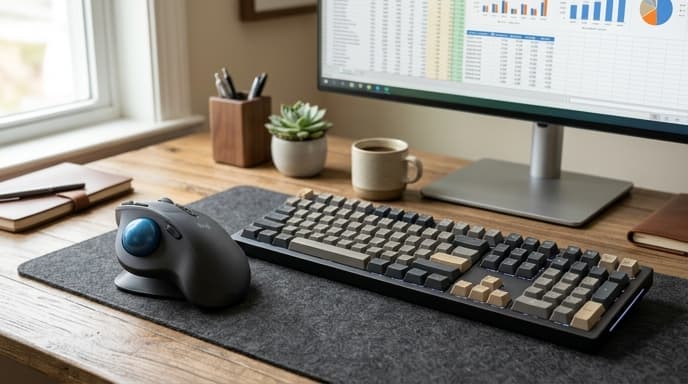
Because trackballs sit on a fixed base, you do not have to sweep your arm across the desk. Looking closely at ball placement, optical sensor DPI, and scroll controls helps you pick the right layout for long modeling sessions.
Thumb-Controlled vs Finger-Controlled Architectures
Trackballs come in two primary designs, each matching different grips and movements.
Thumb-Operated Trackballs
These look similar to standard ergonomic vertical mice. Your palm rests over an angled body, and your thumb moves a medium-sized ball (typically 34mm) on the side.
- Familiarity: Easy transition from a standard mouse, keeping your index and middle fingers on traditional left and right click buttons.
- Potential Limitation: Long hours spent jumping between cells can concentrate strain in the base joint of your thumb.
Finger-Operated Trackballs
These place a larger ball (40mm to 55mm) in the center of the base. You move the ball with your index and middle fingers, while your thumb and outer fingers handle the surrounding click switches.
- Superior Precision: The heavier ball carries momentum, letting you spin across hundreds of spreadsheet columns in one motion without resetting your hand.
- Ergonomic Distribution: Distributes movement across your hand and larger finger joints instead of isolating motion in your thumb.
Scrolling Mechanics: Rings, Wheels, and Horizontal Panning
Financial spreadsheets expand horizontally just as much as they do vertically. The scroll hardware on your trackball largely determines how fast you can navigate complex workbooks.
- Integrated Mechanical Scroll Rings: Placed around the center ball on finger-operated designs, these textured rings let you spin through thousands of rows of ledger data with minimal effort.
- Tilt-Click Scroll Wheels: Common on thumb units, these wheels lean left and right to scroll horizontally across balance sheets without having to drag the bottom scrollbar.
- Ball-Twist Scrolling: Some models let you twist the trackball on its vertical axis to trigger horizontal scrolling.
Optical Sensor Specs and On-the-Fly DPI Switching
Working in dense spreadsheets requires balancing quick cursor sweeps with fine adjustments.
Choose hardware with a dedicated hardware DPI switch. Setting it to 400 to 800 DPI lets you audit single-cell formulas and adjust column borders cleanly, while jumping to 1500+ DPI lets you dart across multiple monitors with a single flick.
Frequently Asked Questions
How difficult is the learning curve when switching from a mouse to a trackball for Excel?
Most people adjust within three to five days. Thumb trackballs feel natural almost immediately, while central finger-driven balls take about a week to build muscle memory for clicking and dragging cells.
Do optical trackballs require regular cleaning?
Yes. The ceramic or ruby bearings supporting the ball pick up oil and dust over time. The ball pushes out through a hole in the bottom so you can wipe the cavity and bearings clean with a microfiber cloth.
Can trackball buttons be customized for spreadsheet shortcuts?
Most mid-range and high-end models include software to map buttons to shortcuts like copy, paste, enter formula, or auto-sum.
Key Takeaways
- Trackballs keep the arm stationary, eliminating the wrist pronation associated with conventional mice.
- Finger-operated designs utilize larger balls that spread tendon movement across multiple fingers.
- Thumb-operated trackballs provide the easiest transition from traditional ergonomic mice.
- Physical scroll rings around the ball provide superior navigation through expansive transactional ledgers.
- Hardware DPI toggles allow rapid shifts between macro-screen navigation and micro-cell auditing.
Related Reading
- Mechanical Numeric Keypads: Hardware Specs for Spreadsheets and Ledgers
- Ultrawide vs Dual Monitors for Spreadsheets: Which Setup Fits Your Workflow?
- Prompt Engineering Guardrails for Financial Spreadsheets and LLM Parsers