
When protecting brokerage deposits, retirement holdings, and banking accounts, SMS codes and authenticator apps remain vulnerable to credential theft. Physical hardware security keys prevent remote phishing by binding authentication directly to the website domain verified by your browser.
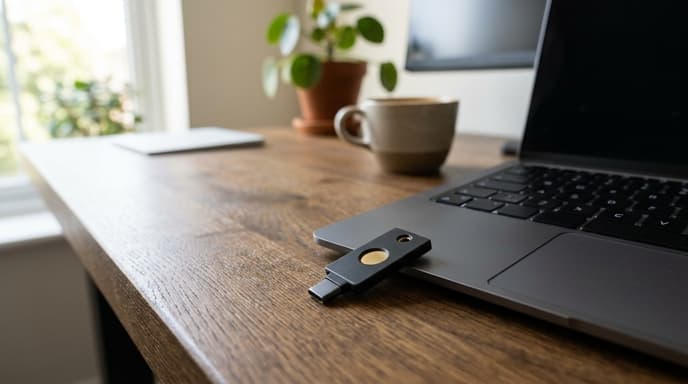
Using a dedicated hardware token is one of the most reliable ways to protect personal finance accounts. Comparing connection types and cryptographic standards will help you choose the right model.
Form Factors: Dual-Interface NFC vs Compact USB-C
Physical keys generally come in three forms: standard USB-A, USB-C, and dual-interface keys combining wired connections with Near Field Communication (NFC). The devices you use for banking determine which format you need.
Dual-interface tokens with both USB-C and NFC offer broad compatibility. They plug directly into modern laptops and authenticate mobile banking sessions on smartphones with an NFC tap against the back of the phone. Compact nano keys designed to stay in a computer USB port offer desktop convenience, but they cannot secure mobile devices unless you add a secondary NFC-capable key.
Cryptographic Standards: FIDO2, WebAuthn, and U2F
Review the protocol specifications before buying a security token. Look for these technical standards:
- FIDO2 / WebAuthn Compliance: Verify that the token supports FIDO2 and WebAuthn. This enables both second-factor authentication and passwordless passkeys stored directly on the key hardware.
- FIDO U2F Backwards Compatibility: Some financial portals still rely on older Universal 2nd Factor (U2F) protocols. Modern FIDO2 keys maintain backwards compatibility with these systems.
- Physical Ingress Protection (IP Rating): Keys on keychains face moisture, dust, and physical pressure. Look for seamless injection-molded casings with an IP68 rating for water resistance.
- FIPS 140 Certification Levels: For institutional or high-value accounts, tokens certified to FIPS 140 Level 2 or Level 3 verify that internal cryptographic chips resist physical tampering.
Features to Skip When Buying Banking Tokens
Do not pay extra for consumer security keys with biometric fingerprint readers. Moving parts and sensors introduce wear points and higher failure rates without providing meaningful security gains over a PIN-protected capacitive touch key.
Skip multi-protocol keys with complex smart card features unless your employer requires smart card PIV/CAC standards on work machines. For personal finance and retail brokerage security, standard FIDO2 implementation delivers phishing resistance at a lower price.
Frequently Asked Questions
Why are hardware keys safer than smartphone authenticator apps?
Authenticator app codes can be typed into fake phishing sites. Hardware keys verify the actual website domain through cryptographic handshakes, preventing stolen credentials.
How many hardware security keys should a user purchase?
Buy at least two identical keys. Register both simultaneously across your accounts, keep the primary key with you, and store the backup in a secure, fireproof location.
Do all retail banks support hardware security keys?
Support varies. Major brokerages and tech companies support FIDO2 keys, but many retail banks still limit consumers to SMS codes or their own mobile app push notifications.
Key Takeaways
- Hardware security keys prevent phishing by binding logins to genuine domain names.
- Dual-interface USB-C and NFC keys work across laptops, tablets, and phones.
- Look for FIDO2 and WebAuthn certifications for compatibility with passkeys.
- Choose solid-state, PIN-protected capacitive touch keys with IP68 ratings over fragile fingerprint models.
- Always configure a secondary backup key to avoid account lockouts if your main key is lost.
Related Reading
- Configuring YubiKey FIDO2 Security on Retail Brokerage Accounts
- WebAuthn Discoverable Credentials vs. Standard FIDO2 for Brokerage Logins
- Hardware Security Modules vs StrongBox: How Modern Phones Store Banking Keys