
Most home networks place smart thermostats, unpatched streaming dongles, and personal computers on a single flat subnet. If an Internet of Things (IoT) device is compromised, attackers can inspect local broadcast traffic or probe other machines on the subnet. Checking home router VLAN specs for banking security is the most direct way to isolate financial devices at the hardware level.
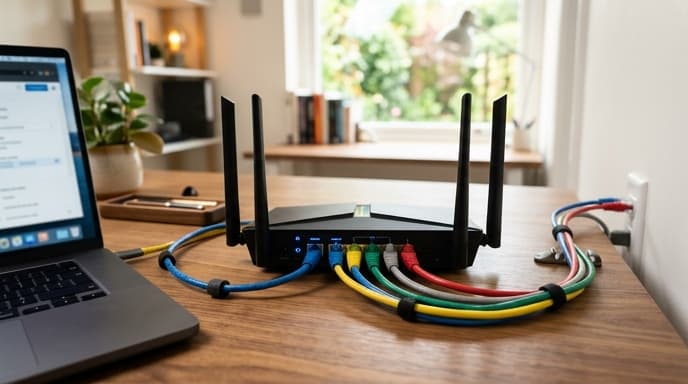
Instead of relying on budget retail routers with fixed settings, prosumer hardware lets you segment banking machines onto their own network slice.
The Critical Role of 802.1Q VLAN Support
A Virtual Local Area Network (VLAN) divides one physical router into separate logical networks at Layer 2 of the OSI model.
Why Consumer "Guest Networks" Fall Short
Many consumer routers include a "Guest Network" switch, but it often relies on software-level broadcast filtering rather than true packet tagging. Firmware bugs or high traffic loads can allow traffic to bleed across subnets.
Routers with 802.1Q VLAN tagging add an identifier directly into the Ethernet frame header. Hardware on your banking VLAN cannot communicate with ports or wireless networks assigned to smart devices unless a specific firewall rule allows it.
Hardware Specifications to Check Before Purchasing
Running continuous packet inspection and network segmentation requires decent internal components.
- CPU Architecture: Look for a dual-core or quad-core ARM chip running at 1.4 GHz or higher. Low-end processors choke when handling stateful firewall rules and encrypted tunnels simultaneously.
- RAM Capacity: Avoid routers with under 512MB of RAM. A router running multiple VLAN tables, active connection tracking, and local DNS filters works best with 1GB.
- Switch Chip Hardware Support: Confirm the internal switch chip supports hardware NAT and Layer 2 offloading so inter-VLAN routing does not bottleneck gigabit fiber lines.
- WPA3-Enterprise Compatibility: WPA3 guards against offline dictionary attacks, protecting your wireless sessions from local eavesdropping.
Configuring Firewall Rules for Financial Isolation
VLAN hardware does little good without strict traffic rules in place.
Your router must support one-way firewall rules. A safe configuration lets your financial computer open connections to the internet and query your local DNS, while blocking any inbound connections originating from the IoT or general home subnets.
Frequently Asked Questions
Does creating a VLAN slow down my internet connection for online banking?
If your router has hardware offloading, VLAN tagging runs at line speed without measurable latency or bandwidth loss.
Can I use a managed network switch alongside an 802.1Q router?
Yes. To run isolated wired drops to an office, connect an 802.1Q-compatible managed switch. The switch passes the router's VLAN tags straight to specific physical ports.
Is a prosumer router running open-source firmware safer than a consumer router?
Prosumer hardware on actively maintained platforms receives regular security updates, reducing the risk of unpatched vulnerabilities common in discontinued consumer models.
Key Takeaways
- Flat home networks expose financial computers to lateral attacks from vulnerable IoT hardware.
- Verify explicit support for IEEE 802.1Q tagged VLANs rather than generic guest network toggles.
- Select routers with at least 512MB of RAM and multi-core processors to handle firewall state tables.
- Ensure the router operating system allows granular, one-way firewall rules between internal subnets.
- Pair the router with WPA3 wireless encryption to protect financial sessions from packet snooping.
Related Reading
- Configuring WireGuard Micro-Tunnels to Secure Online Banking Connections
- Browser Profile Isolation Exclusively for Online Banking
- Workstation Compartmentalization: Running Financial Accounts in Isolated Virtual Machines