
Using compact laptops or tenkeyless (TKL) keyboards saves desk space, but removes the number pad used for rapid bookkeeping. Choosing mechanical numeric keypads for financial modeling gives you a dedicated calculation interface without forcing you to use an expansive, non-ergonomic full-size keyboard.
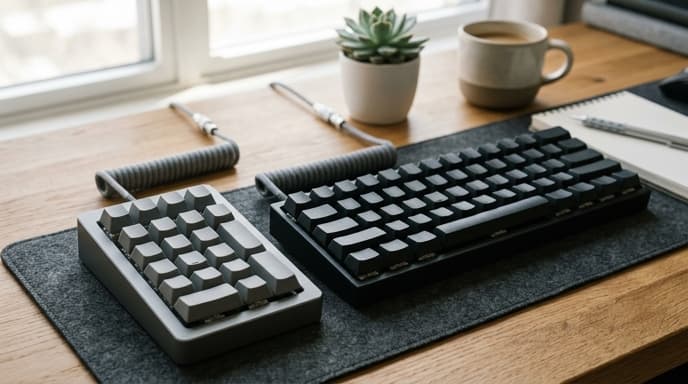
Unlike membrane office pads, mechanical keypads use individual physical switches under every keycap. Choosing switch types, onboard firmware, and desk placement helps you enter numbers faster while avoiding wrist fatigue.
Switch Mechanics: Tactile Resistance vs Linear Travel
The internal switch mechanism under each key determines the feedback you feel upon entering a number:
- Tactile switches: Feature a slight physical bump at the exact moment electrical actuation occurs. This allows you to confirm a number registered without bottoming out the key, reducing finger strain during long modeling sessions.
- Linear switches: Move smoothly from top to bottom without an actuation bump. The lack of tactile feedback can lead to accidental double strokes during rapid blind tenkey entry.
- Clicky switches: Produce an audible click alongside a tactile bump. While clear in a private office, they are often too loud for shared spaces or client calls.
Custom Macro Layers and Onboard Firmware
A standard numpad includes seventeen to twenty-one keys for digits, basic operators, and an Enter key. However, financial modeling requires regular formula syntax, parentheses, equal signs, and currency formatting shortcuts.
Look for keypads that support open-source firmware like QMK or VIA. These allow you to store custom macro layers directly on the keypad's internal memory. With a programmable board, pressing a toggle key can change your standard numbers into accounting shortcuts: typing `=SUM(`, formatting a cell as a percentage, or executing nested lookup functions with a single stroke.
Ergonomic Positioning and Hot-Swappable Sockets
On traditional keyboards, the numeric keypad is fixed to the right side, forcing your mouse hand outward at an angle that strains your shoulder. A standalone external numpad lets you position your keys where your arms rest naturally.
You can place the pad between your keyboard and mouse, or to the left of your keyboard to enter numbers with your non-dominant hand while keeping your primary hand on the mouse to navigate cells. Also, choose a board with hot-swappable switch sockets; this allows you to pull out and replace switches without soldering if your typing preferences change.
Frequently Asked Questions
Why choose mechanical switches over cheap membrane keypads?
Membrane pads use a rubber dome sheet that requires pressing keys all the way down, leading to missed numbers and hand fatigue. Mechanical switches register inputs reliably at a consistent actuation point halfway through the stroke.
What are double-shot PBT keycaps, and why do they matter for accounting?
Double-shot PBT keycaps are molded from two plastic layers, meaning the number legends never wear off, and the plastic resists becoming slick and shiny from finger oils over time.
Do programmable keypads require special software running in the background?
Keypads supporting open firmware like VIA store custom key mappings inside the keypad's onboard memory. Once configured, you can plug the pad into any computer and your custom spreadsheet shortcuts work immediately without background software.
Key Takeaways
- Dedicated mechanical numpads allow flexible desk placement, reducing shoulder strain compared to full-sized keyboards.
- Tactile switches provide physical confirmation of data entry, reducing numerical input errors.
- Programmable firmware (such as QMK/VIA) maps complex spreadsheet formulas directly to single keys.
- Hot-swappable switch sockets let you customize typing feel and swap worn switches easily.
- Durable PBT keycaps prevent legends from wearing off under heavy daily accounting use.
Related Reading
- Ultrawide vs Dual Monitors for Spreadsheets: Which Setup Fits Your Workflow?
- Prompt Engineering Guardrails for Financial Spreadsheets and LLM Parsers
- E-Paper Tablets vs LCD for Digital Budget Planners: Which Hardware Wins?