
Mobile banking apps work fine for an occasional personal check, but businesses handling steady client volume run into rejected photos, poor lighting, and slow entry. Using portable check scanners for remote deposit capture speeds up check processing and meets institutional standards for image clarity.
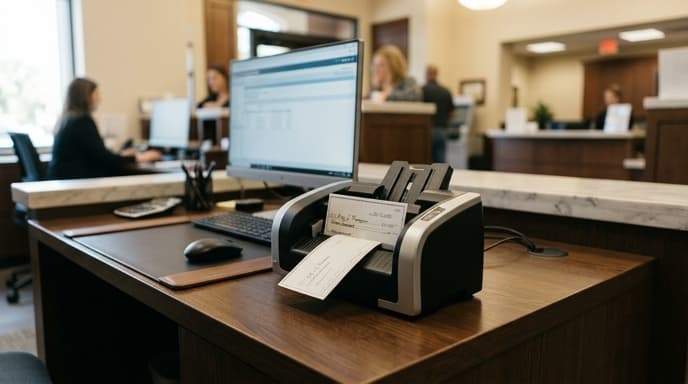
Hardware built for Remote Deposit Capture (RDC) under Check 21 rules reads both the printed image and the magnetic ink line on the check to prevent deposit errors.
The Critical Role of Hardware MICR Read Heads
The numbers across the bottom of a business or personal check—routing, account, and serial numbers—are printed with magnetic ink. This format is called Magnetic Ink Character Recognition (MICR).
Optical OCR vs True Magnetic Reading
Smartphone cameras and flatbeds rely solely on optical character recognition (OCR) to read the bottom line. If the ink is slightly faint or the check background is busy, optical systems can misread digits.
Dedicated check scanners include a physical MICR magnetic read head inside the feed slot. As the check passes through, the head reads the magnetic signal from the iron oxide in the ink. This hardware read prevents misread numbers and complies with commercial banking requirements.
Duplex Imaging Sensors and Optical Specifications
Under federal clearing standards, checks must be imaged on both sides simultaneously.
- Single-Pass Duplex Contact Image Sensors (CIS): Dual CIS sensors capture the front and back of the check in one pass, which cuts scanning time in half and avoids feed jams.
- True 300 DPI Resolution: Clearing houses require black-and-white images scanned at 200 to 300 dots per inch (DPI). Onboard thresholding firmware cleans up colored backgrounds so the text stays sharp.
- Integrated Endorsement Stampers: Models with built-in ink stampers print deposit text onto the back of each check as it rolls through the track.
Feeder Mechanics and Software Driver Architecture
The feed system determines how many checks you can process in a day.
- Manual Single-Feed vs Auto-Feeders: Compact mobile scanners use a single-slot manual feed that handles 15 to 30 checks per minute. Desktop batch scanners use hoppers holding 30 to 100 checks that feed through automatically.
- Driver Protocols (TWAIN vs Specialized API): Most business banking portals require certified TWAIN drivers or proprietary hardware APIs to upload directly to the bank's remote deposit platform. Check your bank's approved hardware list before buying.
Frequently Asked Questions
Why won't my standard high-end photo scanner work for commercial check deposits?
Standard flatbed and document scanners lack a MICR read head. Most business banking portals check for certified hardware signatures and block uploads from unapproved document scanners.
What is the Check 21 Act, and how does scanner hardware comply with it?
The Check Clearing for the 21st Century Act lets banks clear digital substitute checks instead of moving physical paper. Compliant hardware must meet strict requirements for image clarity, alignment, and magnetic data capture.
Do check scanners require periodic mechanical maintenance?
Yes. Paper dust and ink residue collect on the rollers and read heads. Running a pre-moistened cleaning sheet through the feed path every 1,000 to 2,000 checks keeps the sensors clear.
Key Takeaways
- Hardware MICR heads read magnetic iron oxide ink waveforms, preventing optical transposition errors.
- Single-pass duplex sensors capture front and back check images simultaneously.
- Auto-thresholding firmware turns intricate colored watermarks into compliant black-and-white bank images.
- Always verify certified hardware compatibility lists with your specific banking institution.
- Use automated feed rollers if your business processes batches larger than 10 to 20 checks weekly.
Related Reading
- Receipt Digitization Tools: Evaluating OCR Accuracy, Privacy, and Local Storage
- Dedicated Document Scanners for Tax Records: Key Specs to Look For
- Cleaning Unstructured Bank CSV Exports with Local Regex and Lightweight LLMs