
Filing tax deductions and tracking equipment warranties requires keeping clear purchase records. Receipts printed on thermal paper fade quickly, making digital archiving necessary. When comparing receipt scanner apps, consider data privacy and technical architecture alongside basic scanning speed.
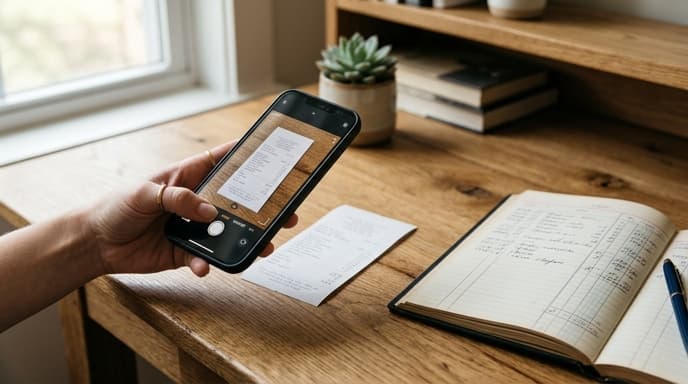
Knowing whether an optical character recognition (OCR) engine processes merchant names, line items, and totals on your device or in the cloud keeps your spending records organized without sharing purchase data with third parties.
OCR Processing: On-Device Neural Engines vs Cloud Servers
The primary technical difference among receipt apps is where text processing happens. Standard apps upload receipt photos to cloud servers for optical character recognition.
Modern phone processors include neural engines capable of reading text directly on the device. Applications using on-device OCR process images inside your phone local memory. This means purchase descriptions, store locations, and personal names never leave your hardware.
Auditing Software Specs: Formats, Metadata, and Longevity
Tax agencies require electronic receipts to remain readable and organized for audit reviews. Look for these technical features before paying for a scanning app:
- Searchable PDF/A Output: Confirm that the app exports files in PDF/A format, the standard format for long-term document archiving. Standard JPEG images do not include searchable text layers.
- Line-Item Extraction Fidelity: Basic apps extract only the store name and total price. More capable engines separate individual items, sub-totals, and sales taxes, which is useful when separating business and personal items on a single receipt.
- Cloud Sync Flexibility: Avoid apps that lock your documents inside a proprietary web service. Look for tools that sync directly to your personal cloud storage, WebDAV folders, or local network storage (NAS).
- EXIF and Timestamp Preservation: The application should save the original capture date and time directly into the generated file metadata.
Features to Skip in Expense Scanning Apps
Many receipt apps promote extra features like loan applications, credit card recommendations, and shopping cashback programs. These tools often indicate that the company sells receipt data and transaction patterns to commercial data aggregators.
Stick with dedicated scanning utilities rather than multi-service financial platforms. A simple paid app that handles local document scanning avoids the data collection practices common in subscription-based receipt services.
Frequently Asked Questions
Do tax authorities accept digital scans of paper receipts?
Yes. Tax agencies accept digital receipt images as long as they are clear, show all transaction details, and can be retrieved during an audit.
Why is thermal paper receipt fading a major financial risk?
Thermal paper relies on heat-sensitive chemicals instead of ink. Heat, sunlight, and regular aging can erase the printed text within a year, eliminating proof of purchase.
Can local on-device scanning match cloud OCR accuracy?
Yes. Current phone processors run local text-recognition models that handle standard printed receipts as accurately as cloud engines.
Key Takeaways
- Scanning paper receipts prevents tax and warranty records from disappearing due to faded thermal paper.
- On-device OCR processes data locally, keeping purchase details and personal names private.
- Export scans as searchable PDF/A files rather than plain image files for easier recordkeeping.
- Avoid apps that lock files inside a single vendor platform or monetize spending data.
- Check that the app correctly reads line items, taxes, and dates for proper tax records.
Related Reading
- On-Device Neural Engines: Running Local Spending Classifiers on Consumer Silicon
- How Local Large Language Models Can Parse Bank Statements Privately
- Cleaning Unstructured Bank CSV Exports with Local Regex and Lightweight LLMs