
When choosing how to run personal finances, the core decision is architectural: store financial records on a vendor's remote infrastructure, or run an isolated database on your own hardware. Choosing self-hosted personal finance software over software-as-a-service (SaaS) platforms means trading automated convenience for privacy and data ownership.
As commercial platforms shift toward monetization, data aggregation, or subscription price hikes, self-directed savers often look toward software architectures that guarantee long-term control.
Data Sovereignty and Zero Third-Party Exposure
Commercial cloud personal finance tools rely on centralized servers. To display your balances, they process raw bank feeds through third-party data aggregators. This distributes your transaction history, account numbers, and retail habits across corporate servers subject to data collection, policy changes, and security breaches.
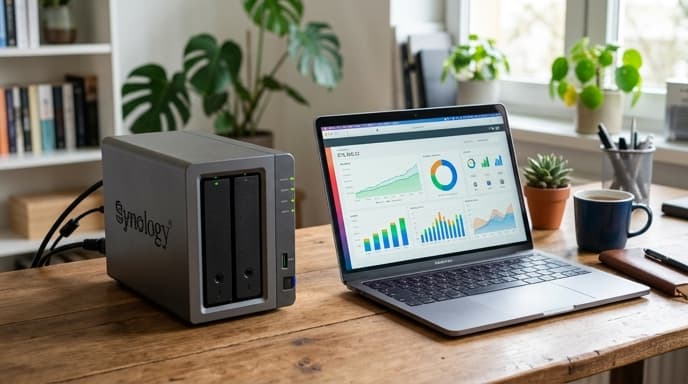
Self-hosted solutions run directly on a personal computer, a home network-attached storage (NAS) unit, or an isolated container. The primary database—typically a local SQLite or PostgreSQL instance—stays on storage you physically control. No telemetry leaves your local network, meaning your net worth and cash flows stay private.
Transaction Ingestion: Automated Aggregators vs File Imports
Daily workflow depends heavily on how transactions enter the system:
- Cloud SaaS platforms: Use established banking APIs to pull cleared card debits and credits automatically overnight. This requires less manual effort, though connection handshakes frequently break when banks update security challenges.
- Self-hosted platforms: Emphasize manual file imports using standardized CSV or OFX bank exports. This requires logging into your institutions yourself, keeping your online banking credentials off third-party sync networks.
- Hybrid local sync: Some open-source self-hosted systems offer opt-in encrypted synchronization bridges, allowing automated bank feeds while keeping the underlying ledger encrypted locally using zero-knowledge client keys.
Maintenance Overhead and Long-Term Archival Viability
A cloud platform outsources backups, database migrations, and security patches to the provider. However, if that provider shuts down, your financial history is lost if exports are incomplete or formatting is proprietary.
A self-hosted deployment requires basic technical literacy. You must schedule automated off-site encrypted backups, run container updates, and monitor storage drive health. The benefit is long-term access: an open-source database running locally can be audited and read thirty years from now, regardless of what happens to commercial software vendors.
Frequently Asked Questions
Do self-hosted finance platforms have usable mobile apps?
Yes. Many self-hosted projects offer Progressive Web Apps (PWAs) or native mobile clients that communicate with your home server over local networks or private encrypted tunnels like WireGuard.
What hardware do I need to run a self-hosted budget app?
Personal finance ledgers have low hardware requirements. A single-board computer, an old desktop, or an entry-level home NAS with minimal RAM can host a household financial database for decades.
Can I back up self-hosted budget data to external drives easily?
Yes. The entire financial ledger is typically stored within a single flat database file or structured directory, so automating daily encrypted backups to external media requires minimal configuration.
Key Takeaways
- Self-hosted personal finance software prevents commercial data aggregators from parsing your spending habits.
- Local database engines keep historical records accessible regardless of vendor business changes.
- Cloud solutions trade data privacy for automated daily bank transaction syncing.
- Manual CSV/OFX imports insulate your primary banking credentials from API scraping services.
- Self-hosted setups require you to manage your own automated backups and hardware maintenance.
Related Reading
- Financial Aggregation Apps: Direct API Sync vs Manual CSV Entry
- Envelope Budgeting Apps: Evaluating Zero-Based vs Category Accrual Software
- Workstation Compartmentalization: Running Financial Accounts in Isolated Virtual Machines