
Smartphones are the standard host for two-factor authentication (2FA) apps, but storing banking credentials, password managers, and verification codes on an internet-connected handset leaves everything vulnerable to a single compromised device. Standalone authenticator devices with electronic ink (E-Ink) displays remove this risk by generating time-based one-time passwords (TOTP) on dedicated, offline hardware.
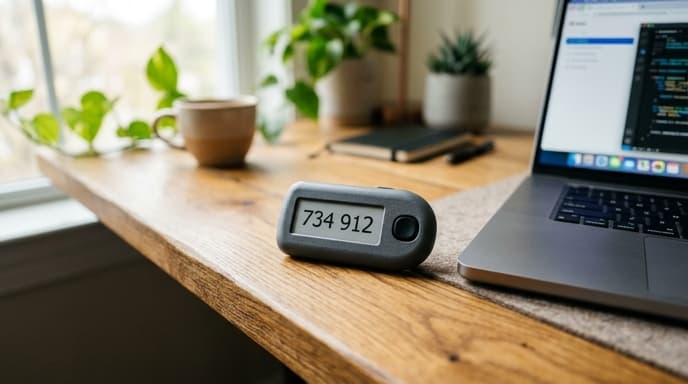
Keeping verification codes on isolated hardware protects logins from mobile spyware, clipboard sniffers, and unauthorized remote management profiles.
E-Ink Displays: Visibility and Ultra-Low Power Consumption
Unlike LCD tokens that need bright backlights and frequent charging, electronic paper displays (EPD) reflect ambient light. Micro-capsules of charged black and white pigments hold their pattern without power once drawn.
- Persistent visibility: An E-Ink screen displays the active six- or eight-digit code continuously until the internal clock reaches the next 30-second window. You do not need to wake the screen during multi-step logins.
- Extended operational life: The token draws power only during state changes when refreshing digits every 30 seconds. A single charge or coin cell battery lasts months or years.
Seed Ingestion: Air-Gapped Cameras vs. USB Interfaces
How the hardware imports its initial TOTP seed—the secret key inside the setup QR code—defines its security boundary.
Air-gapped tokens use an integrated rear camera. To enroll an account, you point the token at the computer screen to scan the QR code. The seed is decoded directly inside the device's microcontroller memory and never touches a USB bus, Bluetooth radio, or local network.
Hybrid devices use a temporary USB-C connection to a desktop companion app. While faster for importing dozens of accounts at once, this creates a short-lived exposure window if the host computer has an active keylogger or memory dumper running.
Hardware Clocks, Drift, and Storage Capacity
TOTP algorithms rely on accurate time synchronization between the token and the authentication server, as defined in RFC 6238.
- Real-time clock (RTC) accuracy: Standalone authenticators rely on internal quartz oscillators. Higher-end models use temperature-compensated crystal oscillators (TCXO) with drift rates under a few seconds per year. Cheap clocks can drift past the 30-second window within two to three years, causing failed logins until reset.
- Account storage capacity: Basic authenticators store 10 to 30 account slots, enough for core email, banking, and investment logins. Larger units store hundreds of keys and include folder navigation menus.
- Biometric or PIN protection: To protect stored seeds if the token is lost or stolen, select devices with an onboard PIN pad or fingerprint sensor to restrict code display.
Frequently Asked Questions
What happens if a standalone authenticator's battery dies?
Cryptographic seeds sit in non-volatile flash memory and remain intact when the battery drains. Once recharged or fitted with a new coin cell, the device continues generating valid codes as long as the clock remains accurate.
Can I back up seeds stored on an air-gapped authenticator?
When an online account displays a setup QR code, it also displays the underlying text string. Record that string on offline media—such as an encrypted drive or written backup card—before completing hardware enrollment.
Are these tokens compatible with all online banking platforms?
They work with any service supporting standard RFC 6238 TOTP authenticators, such as Google Authenticator. They cannot replace proprietary app-based push notifications unless the institution provides an open TOTP enrollment option.
Key Takeaways
- Standalone E-Ink authenticators provide out-of-band two-factor security by keeping codes off your smartphone.
- Electronic paper screens draw power only during digit updates, running for months on a single battery.
- Tokens with built-in cameras remain air-gapped by reading setup QR codes visually without physical data cables.
- Temperature-compensated real-time clocks prevent timing drift from causing failed logins.
- Onboard PIN or fingerprint locks prevent unauthorized access if the token is misplaced.
Related Reading
- Hardware TOTP Tokens: Choosing Standalone Keys for Bank Logins
- Hardware Security Keys: Comparing FIDO2, NFC, and USB-C Specs for Banking
- Air-Gapped Financial Backups: Comparing Encrypted USB vs Steel Seed Storage