
Direct thermal receipt printers give cash-stuffing budgeters and zero-based ledger keepers an immediate, physical slip for daily transactions, subscription audits, or cash reconciliations without ink cartridges or toner drums.
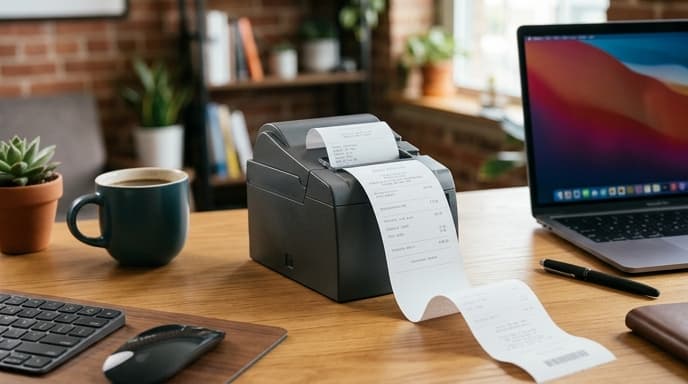
Choosing the right printer requires matching carriage width, connection interfaces, driver protocols, and printhead durability to your desk setup.
Paper Width: 58mm Portability vs. 80mm Ledger Legibility
Receipt printers for desktop bookkeeping use two standard paper widths: 58mm (2-inch) and 80mm (3-inch).
- 58mm units: These have a compact footprint and often run on internal batteries. They fit roughly 32 standard characters per line, which works well for single-line debit logs with a timestamp, category, and dollar amount.
- 80mm units: Standard commercial units print 48 characters or more per line. The wider format accommodates multi-column tables, making it practical to print planned allocations, cleared amounts, and remaining envelope balances side by side.
Thermal Printhead Resolution, Speed, and Paper Longevity
Direct thermal printing uses a heated printhead that reacts with a chemical coating on thermal paper. The mechanism has few moving parts, but printhead resolution and paper selection determine legibility.
Entry-level models use 203 DPI heads, which produce legible numbers and standard barcodes. Units running at 300 DPI produce sharper 8-point accounting notes and table borders. Print speeds range from 90mm to 250mm per second, though speed matters little for single-slip printing.
Paper longevity is the primary tradeoff. Standard direct thermal paper fades within 12 to 24 months when exposed to light, heat, or plasticizers in vinyl folders. For permanent records, use top-coated, BPA-free thermal rolls rated for multi-year archival stability, or treat printed slips as temporary tools for weekly reconciliation before saving digital exports.
Connectivity and Command Protocols: ESC/POS and OS Compatibility
Check how the printer communicates with your computer, spreadsheet software, or custom scripts before buying.
- Interface ports: Basic units use USB Type-B cables. Network models add Ethernet, Wi-Fi, or Bluetooth. If you print from a phone or tablet, verify that the printer supports standard Bluetooth profiles without requiring a paid companion app.
- Command set: Look for standard ESC/POS emulation. This instruction set lets you trigger prints directly from Python scripts, shell scripts, or spreadsheet macros without proprietary drivers.
- Integrated autocutter: High-volume 80mm models include a motorized guillotine cutter rated for over one million cuts. Lower-cost units rely on a serrated tear bar, which can misfeed if the paper is pulled at an angle.
Frequently Asked Questions
Do thermal receipt printers require ink refills?
No. Direct thermal printers do not use ink, toner, or transfer ribbons. Heated pins in the printhead react directly with the heat-sensitive coating on the paper roll.
Can I print directly to a thermal printer from a spreadsheet?
Yes, if the manufacturer provides a standard virtual COM or desktop operating system print driver. You can also export plain text with ESC/POS control characters directly to the printer over a network IP address or USB port.
How do I prevent printed daily ledgers from fading?
Store receipts away from direct sunlight, heat sources, and PVC folders. Top-coated synthetic thermal paper holds an image significantly longer than standard receipt paper.
Key Takeaways
- Choose 80mm printers for multi-column budget tables and 58mm models for simple timestamped transaction logs.
- Direct thermal printing eliminates ink costs by relying entirely on heated printheads and chemically treated paper.
- Look for ESC/POS command compatibility to print from spreadsheets, command-line tools, or custom scripts.
- Standard thermal paper fades over time; use top-coated archival rolls or use paper slips for short-term audits.
- An automatic cutter prevents the paper jams common with manual tear bars.
Related Reading
- Mechanical Numeric Keypads: Hardware Specs for Spreadsheets and Ledgers
- Dedicated Document Scanners for Tax Records: Key Specs to Look For
- Self-Hosted vs Cloud Budget Software: How to Choose Your Personal Ledger