
Small businesses, freelancers, and household budgeters often print receipts, payment slips, and register tapes to keep physical paper archives. When weighing thermal vs impact receipt printers for expense records, the print method determines whether those records stay legible through an audit years down the road.
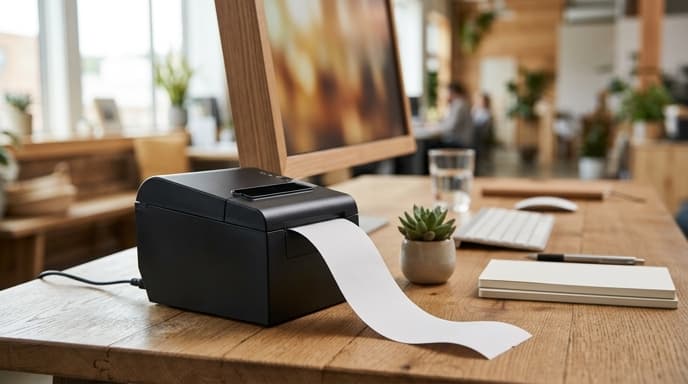
Thermal printers are fast and quiet, which makes them common at retail checkouts, but their chemically treated paper degrades easily during long-term storage.
How Direct Thermal Printing Works and Why It Fades
Direct thermal printers use a printhead lined with small heating elements. The printhead pulses heat onto specially coated paper as it rolls through.
The Vulnerability of Chemically Active Paper
Thermal paper is coated with a leuco dye and an organic acid base held in a solid matrix. Heat melts the matrix, letting the dye and acid react to turn black. Because the chemicals remain active on the paper, common environmental factors break them down:
- Ambient Heat: Receipts left in a warm glove compartment or attic can turn solid black in days.
- UV Light: Sun exposure reverses the chemical reaction, fading text to faint gray lines over a few months.
- Plasticizer Migration: Storing receipts in clear PVC or vinyl sleeves dissolves the dye, wiping the text clean.
The Case for Impact Dot-Matrix Printers
Impact receipt printers use a mechanical printhead: small metal pins strike an inked fabric ribbon to stamp text onto untreated bond paper.
- Permanent Physical Impression: Ink binds straight into the raw cellulose fibers, so receipts remain legible for decades in a standard filing cabinet.
- Multi-Ply Duplicates: The physical strike lets you run 2-ply or 3-ply carbonless paper to create matching customer and merchant copies simultaneously.
- Immunity to Storage Heat: Stamped receipts resist heat, moisture, and the plasticizers found in document storage sleeves.
Comparing Operational Specifications
Choosing between the two technologies means balancing day-to-day convenience against archive durability.
- Printing Speed: Direct thermal printers output 200mm to 300mm per second. Impact printers are much slower, averaging 4 to 6 lines per second.
- Acoustic Noise: Thermal units are nearly silent. Impact printers make a steady mechanical buzzing sound while printing.
- Consumables Cost: Thermal units only need paper rolls. Impact models require replacement fabric ribbons alongside standard paper.
Frequently Asked Questions
How long do thermal receipts typically remain legible in a filing cabinet?
In a dark, cool folder, premium thermal paper can last 3 to 5 years. Standard commercial grades often fade within 12 to 24 months.
Does the IRS accept scanned digital copies of thermal receipts?
Yes. IRS Revenue Procedure 97-22 allows digital scans of physical receipts, as long as the electronic images are legible and accurately reproduce the original details.
Can I preserve existing thermal receipts by photocopying them?
Yes. Running them through an electrostatic copier transfers black carbon toner to regular paper, creating a stable physical copy that will not fade.
Key Takeaways
- Direct thermal paper relies on heat-sensitive leuco dyes that fade under UV light, heat, and plastic contact.
- Impact dot-matrix printers physically press ink into standard cellulose bond paper, creating permanent records.
- Impact printers support carbonless multi-ply rolls to produce instant duplicate transaction records.
- If using thermal receipt printers for convenience, pair them with daily optical digital archiving.
- Store physical receipts away from vinyl plastic sleeves, which accelerate chemical ink degradation.
Related Reading
- Receipt Digitization Tools: Evaluating OCR Accuracy, Privacy, and Local Storage
- Dedicated Document Scanners for Tax Records: Key Specs to Look For
- Cleaning Unstructured Bank CSV Exports with Local Regex and Lightweight LLMs