
When reconciling transaction categories, parsing annual spending projections, or cross-referencing bank statements, your display hardware affects your error rate. Choosing between ultrawide vs dual monitors for spreadsheets comes down to whether you prioritize continuous horizontal rows or hardware-level window isolation.
Both setups handle dense numerical layouts, but they force different trade-offs in desk space, graphics output, and visual ergonomics.
Continuous Horizontal Canvas vs Physical Display Separation
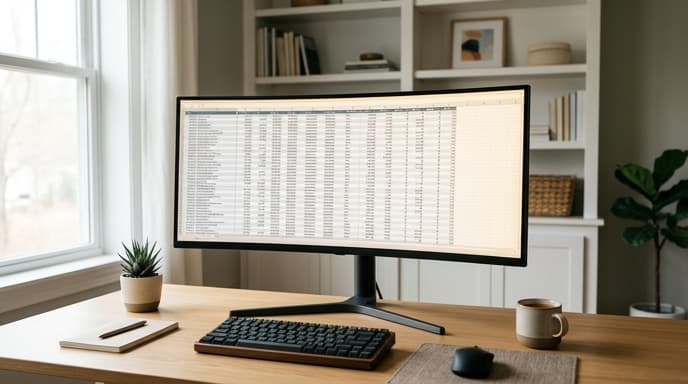
A standard 21:9 or 32:9 ultrawide monitor has no central bezel. This provides an uninterrupted canvas where you can view thirty or more columns without scrolling sideways. For cash flow templates with twelve rolling month columns and auxiliary formulas, seeing the full horizontal span prevents reference errors.
Dual 16:9 monitors offer a physical barrier that helps with task separation. When you keep an immutable PDF statement on a secondary screen and an editable tracking ledger on your primary screen, your operating system treats them as distinct desktop environments. Full-screen snapping shortcuts work per panel without third-party window-management tools.
Resolution, Pixel Density, and Font Clarity for Numbers
Data tables require sharp typography. Decimal points and commas blur on displays with low pixel density. When comparing setups, look past diagonal size and check pixels per inch (PPI).
- Ultrawide resolutions: A 34-inch ultrawide at 3440x1440 delivers roughly 110 PPI, giving you readable text scaling at 100% without excessive graphics overhead.
- Dual 4K displays: Two 27-inch 4K panels deliver approximately 163 PPI, producing sharp figures that reduce eye strain during long audits, though they require system-level UI scaling.
- Vertical real estate: Standard 1080p ultrawides cut into row visibility. Choose panels with at least 1440 vertical pixels so headers and summary totals remain visible together.
On ultrawides larger than 34 inches, choose a curved panel with a radius between 1800R and 1000R. Curvature keeps the outer columns within your natural focal distance, cutting down on neck rotation when checking year-end summary figures.
Cabling, Hubs, and System Graphics Demands
Check how your computer sends video signals before buying hardware. Driving two independent 4K monitors requires two display outputs or a dock supporting DisplayPort Multi-Stream Transport (MST). Many compact laptops drive a single external 4K or ultrawide panel easily, but struggle with bandwidth over an unpowered hub when driving two high-resolution displays.
A single ultrawide panel simplifies cabling. One cable handles display output, and many models include integrated USB-C power delivery and peripheral hubs. This lets you connect a mechanical numpad and local backup drive directly to the monitor.
Frequently Asked Questions
Can I split an ultrawide screen into two virtual monitors?
Yes. Many ultrawide monitors include Picture-by-Picture (PBP) hardware modes that treat two cable inputs as separate side-by-side displays. Operating system window-tiling tools and vendor utilities also let you define custom snap zones across the panel.
Are curved monitors problematic for reading straight spreadsheet grids?
Subtle curves (1800R to 2300R) do not distort spreadsheet grids because your eyes remain equidistant from all points of the panel. Aggressive curves (like 1000R) can make long gridlines appear slightly arched initially, which takes a brief adjustment period.
Which setup uses less power on a dedicated home office circuit?
A single ultrawide monitor usually draws less total power than two separate standard monitors of equivalent area because it uses a single backlight array and internal power supply.
Key Takeaways
- Ultrawide monitors display long horizontal timelines and multi-column budgets without bezel interruptions.
- Dual monitors simplify split-screen workflows between source documents and editable ledgers.
- Panels with at least 1440 vertical pixels keep summary rows and column headers visible at the same time.
- Verify your laptop's external display bandwidth before buying two high-resolution monitors.
- Screen curvature on ultrawides wider than 34 inches reduces neck strain during long audits.
Related Reading
- Workstation Compartmentalization: Running Financial Accounts in Isolated Virtual Machines
- Why Trading Terminals Require Multi-Monitors and Dedicated Memory Channels
- DisplayPort Multi-Stream Transport: Managing Multi-Chart Hardware Constraints