
A momentary voltage brownout during a trading session can reboot your machine, severing broker web sockets and dropping live chart feeds. Installing a UPS battery backup for trading workstations provides clean, continuous power during grid fluctuations and gives you time to close positions properly.
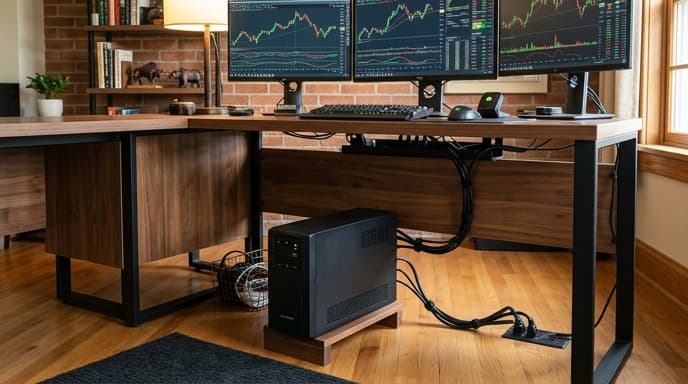
Battery backups vary widely in design. Multi-monitor workstations with high-efficiency power supplies require specific output waveforms and fast transfer times to avoid dropping power.
Pure Sine Wave vs Simulated Sine Wave
The backup's internal inverter converts stored direct current (DC) from the battery into alternating current (AC) for your hardware.
Why Active PFC Demands Pure Sine Waves
Modern workstations and multi-screen desktops use power supply units with Active Power Factor Correction (Active PFC). When grid power cuts, entry-level battery backups deliver a stepped square wave. Active PFC units often interpret that stepped wave as dirty power and shut down immediately anyway.
A pure sine wave UPS produces a smooth wave identical to utility grid power, so the power supply runs without buzzing, heating up, or resetting.
Choosing the Right Topology: Standby vs Line-Interactive
The internal topology determines how the unit handles small voltage drops before pulling from the battery cells.
- Standby (Offline): The computer runs on wall power until an outage occurs, then an internal relay switches to battery. That transition can cause brief micro-lags.
- Line-Interactive: Uses an autotransformer with Automatic Voltage Regulation (AVR). When grid voltage drops or spikes slightly, the AVR normalizes voltage without tapping the battery, saving cell life for full blackouts.
- Online Double-Conversion: The workstation runs continuously on power regenerated from the DC bus, eliminating transfer time entirely. However, these units run continuous internal cooling fans that generate noticeable noise.
Sizing Volt-Amperes (VA) and True Wattage
Packaging often features the Volt-Ampere (VA) rating, but actual wattage capacity determines whether the backup can handle your workstation.
To size your setup, add the maximum draw of your tower, network router, and active monitors:
- A multi-monitor workstation drawing 450 watts needs a unit rated for at least 850VA to 1000VA (roughly 500 to 600 watts of real capacity).
- Running a battery unit at 90% capacity can reduce runtime to under two minutes. Sizing for a 50% load provides 8 to 15 minutes of reserve, which is plenty of time to manage orders and shut down cleanly.
Frequently Asked Questions
Will a UPS allow me to continue trading throughout an extended power blackout?
Desktop units are designed for safe shutdowns and closing open orders, typically offering 5 to 15 minutes of runtime under load. Working through an outage requires a home battery system or a generator.
Should I plug my laser printer into the battery-backed outlets?
Never plug a laser printer into the battery-backed outlets of a desktop UPS. Their heating elements draw massive initial surges that trip the inverter circuit.
What transfer time is fast enough for high-end trading motherboards?
Most desktop power supplies maintain output for about 16 milliseconds during an interruption. A line-interactive unit with a transfer time under 8 milliseconds switches over cleanly without resetting the PC.
Key Takeaways
- Always match workstations with Active PFC power supplies to pure sine wave inverters.
- Select line-interactive units with Automatic Voltage Regulation (AVR) to smooth out brownouts without depleting batteries.
- Calculate actual wattage rather than relying exclusively on advertised Volt-Ampere (VA) numbers.
- Target a 40% to 50% normal operating load to ensure sufficient run time for emergency broker order closing.
- Connect networking switches and modems to the backup so communication remains active during desktop shutdowns.
Related Reading
- Ultrawide vs Dual Monitors for Spreadsheets: Which Setup Fits Your Workflow?
- Why Trading Terminals Require Multi-Monitors and Dedicated Memory Channels
- Mechanical Numeric Keypads: Hardware Specs for Spreadsheets and Ledgers