
Using public USB charging kiosks at airports, train stations, and hotels risks exposing your phone to juice jacking—an attack where a modified charging port attempts an automated data connection with your device. Because smartphones store banking apps, payment tokens, and sensitive messages, an untrusted USB port can attempt data extraction or install unauthorized configuration profiles. USB data blockers eliminate this risk by physically severing the data lines inside the charging connection.
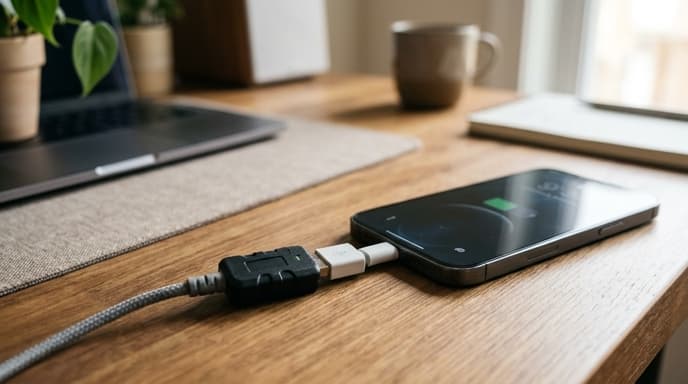
Choosing an effective data blocker requires understanding physical pinouts, charge-negotiation chips, and the differences between USB-A connectors and USB-C Power Delivery specs.
The Mechanism: Severing Physical D+ and D- Copper Traces
A standard USB 2.0 interface has four conductors: Pin 1 (Power / VBUS +5V), Pin 2 (Data Minus / D-), Pin 3 (Data Plus / D+), and Pin 4 (Ground / GND). Data transfer requires working connections on Pin 2 and Pin 3 to establish a communication handshake between host and phone.
A hardware data blocker is a small pass-through adapter placed between your charging cable and an untrusted USB port. Inside the adapter, the physical copper connections for Pin 2 and Pin 3 are absent or severed.
Without a physical metal path on the data lines, no data packets can travel between the port and your phone. No software exploit, rogue firmware, or malicious script can bridge that missing physical wire.
The Fast-Charging Problem: Smart Chip Emulation
Severing data pins stops malware, but it traditionally slows charging speeds. Mobile devices do not pull high current automatically; they check the voltage states on the D+ and D- lines to see if they are connected to a high-output wall charger or a standard computer port. Without those signals, phones default to a slow 500mA (2.5W) trickle charge.
Modern USB data blockers fix this by adding a charge-detection chip on the device-facing side of the adapter. This chip mimics standard fast-charging protocols (such as USB BC 1.2):
- The upstream public port has zero physical connection to the data lines.
- The internal chip tells the phone it is connected to a dedicated charger, allowing it to draw up to 2.4A at 5V over USB-A.
- The phone charges at full speed while the internal circuitry remains isolated from data transfers.
USB-A vs. USB-C Architectural Differences
USB-C connections are more complex. A full-featured USB-C port has 24 pins, including high-speed pairs (TX/RX), legacy USB 2.0 lines (D+/D-), and Configuration Channel (CC) lines used for Power Delivery (PD) negotiation.
A poorly built USB-C blocker that simply cuts all data lines can disable Power Delivery entirely, leaving your phone unable to negotiate higher voltages like 9V, 15V, or 20V. Look for USB-C blockers that specifically maintain the CC lines with proper pull-up/pull-down resistors while physically disconnecting all high-speed data pairs and USB 2.0 lines. This design preserves fast USB-PD charging while keeping data transfer physically impossible.
Frequently Asked Questions
Can a smartphone be hacked through charging cables alone?
Yes. If a public charging port connects to a hidden micro-computer, plugging in can start an automated data connection. If a user accidentally taps "Trust this Computer" or the phone has an unpatched software exploit, the machine can access local files.
Do USB data blockers work with external battery power banks?
You can use a data blocker on a power bank, but it is unnecessary if the power bank is your own trusted hardware. Data blockers are meant for public ports, such as airport charging stations, airplane seat ports, and hotel outlets.
Can I use a data blocker to transfer photos to my computer safely?
No. A data blocker physically eliminates the lines needed to send files. When connected, your computer will supply power but will not detect that a phone is plugged in.
Key Takeaways
- USB data blockers physically cut the D+ and D- wires, making data exchange physically impossible.
- Physical isolation protects mobile banking apps, saved tokens, and stored files from juice-jacking exploits.
- Choose blockers with onboard emulation chips to prevent slow 500mA trickle charging.
- Ensure USB-C blockers preserve CC configuration lines so Power Delivery fast charging still works.
- Keep a data blocker permanently attached to your travel charging cable.
Related Reading
- Hardware-Encrypted USB Drives: How to Pick Cold Storage for Financial Records
- Mobile Clipboard Sandboxing: Shielding Financial Data on Android and iOS
- Hardware TOTP Tokens: Choosing Standalone Keys for Bank Logins