
Hardware wallets protect private keys by keeping them off internet-connected computers. However, isolated silicon only protects funds if the firmware running on the chip is genuine. Understanding cryptographic firmware attestation in hardware wallets clarifies how these devices verify their software integrity before signing a transaction.
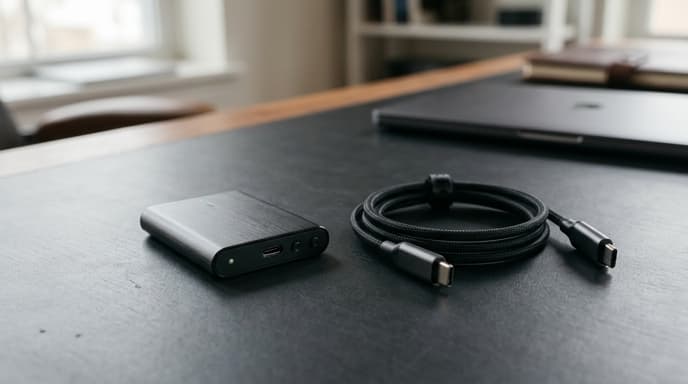
Without attestation, an attacker who intercepts a device during transit could load modified firmware designed to leak recovery phrases or show false recipient addresses on the screen.
The Supply Chain Interception Problem
Hardware keys pass through postal networks, customs checkpoints, and distribution warehouses before reaching you. If an attacker intercepts the parcel, they could install modified code that behaves like the official software.
Compromised firmware can:
- Generate predictable recovery phrases that the attacker already recorded.
- Display a legitimate recipient address on the screen while signing an unauthorized transfer to an attacker's address.
- Leak parts of the private key through subtle timing or metadata channels during regular use.
Establishing the Hardware Root of Trust
Hardware wallets defend against physical interception by burning a cryptographic Root of Trust (RoT) into read-only silicon during manufacturing.
This silicon anchor stores the manufacturer's public keys. At startup, the device follows a secure boot chain:
- BootROM Execution: The unalterable BootROM runs first and checks the digital signature on the primary bootloader.
- Signature Verification: If the bootloader signature does not match the vendor key burned into the silicon, the chip halts and locks itself.
- Firmware Integrity Check: The bootloader hashes the main firmware image and compares the result against the cryptographic certificate in the update file.
The Attestation Challenge-Response Handshake
Verifying the code on the device is only part of the process; the companion app on your computer or phone must also confirm that the physical hardware is authentic. This relies on an asymmetric challenge-response handshake.
The process works through several distinct steps:
- During production, the manufacturer writes a unique private key to the device's Secure Element, signed by the factory's root certificate.
- When you plug the device into the official desktop app, the computer generates a random cryptographic nonce.
- The hardware wallet signs this nonce with its factory-injected private key and returns the signature alongside a hash of its installed firmware.
- The desktop app validates the signature against the manufacturer's public key registry. If the firmware was altered, the check fails.
Physical Verification Protocols for the End User
Cryptographic checks handle software verification, but physical checks remain necessary:
Always read generated recovery words directly off the hardware wallet screen, never from a computer monitor. The device should prompt you to configure a new PIN on first startup. If a device arrives with a pre-printed recovery phrase or PIN card in the box, it is compromised and should not be used.
FAQ
Can a hardware wallet be updated safely over an untrusted internet connection?
Yes, if the bootloader requires cryptographic attestation. If an update file is intercepted or altered, the device will reject the installation because the vendor's signature will not match.
What happens if the firmware attestation check fails?
The device stops running, displays a warning, and blocks access to stored private keys. It typically remains locked until you restore it through an official recovery tool.
Is an open-source hardware wallet more secure than a closed-source device?
They use different models. Open-source designs allow independent auditing of the source code and build reproducible binaries. Closed-source designs often use certified Secure Element chips that carry non-disclosure restrictions on hardware schematics to defend against physical chip decapsulation.
Key Takeaways
- Physical isolation does not protect funds if device firmware has been altered.
- A factory-burned Root of Trust ensures only signed bootloaders can boot the device.
- Challenge-response handshakes verify that the device holds a genuine factory key.
- Firmware attestation checks code integrity before the device signs transactions.
- Never type seed phrases into a computer, and discard any device that arrives with pre-printed keys.
Related Reading
- Hardware Security Modules in Banking: How Core Ledger Systems Protect Master Keys
- Secure Enclave Transaction Signing: Mobile Hardware as Personal Cold Storage
- Point-of-Sale Firmware Tampering: How Hardware Attestation Protects Retail Terminals