
Most home networks run on a single flat subnet. Workstations, smart TVs, security cameras, and low-cost IoT gadgets share the exact same network space. When you isolate trading workstations with VLANs using a managed hardware switch, you block lateral movement across your network so compromised devices cannot snoop on financial traffic.
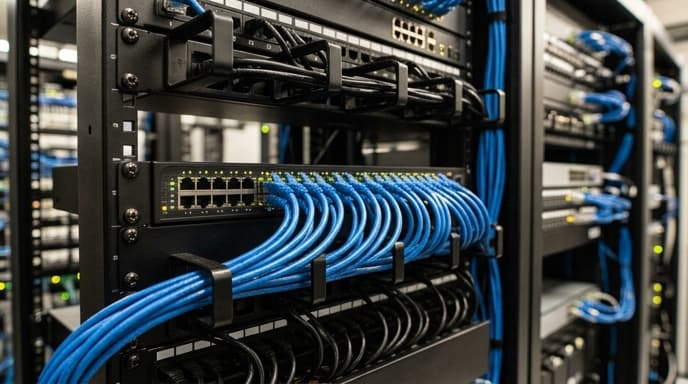
Configuring network segmentation at the switch divides your local network into distinct broadcast domains. A hacked IoT device remains confined to its own virtual network, unable to communicate with your trading machine.
Why Software Firewalls Are Not Enough
Host firewalls protect against direct incoming connections, but they do not stop local broadcast traffic. Devices on a flat subnet continuously exchange packets using ARP, mDNS, and NetBIOS.
- ARP spoofing: A compromised device on the same subnet can send spoofed ARP replies, routing your workstation's traffic through itself before forwarding it to the router.
- Local reconnaissance: Any machine on a flat network can scan neighboring IP addresses to look for open ports or unpatched services.
- Bandwidth contention: Streaming media devices or network cameras can saturate switch buffers, causing jitter and dropped packets during market hours.
Configuring 802.1Q VLANs on a Managed Switch
A basic 5-port or 8-port gigabit managed switch with IEEE 802.1Q support is sufficient to segment your hardware. Follow these steps:
- Define VLAN IDs: Log in to the switch's web interface. Create two separate virtual networks:
VLAN 10for your financial workstation andVLAN 20for IoT and personal hardware. - Assign workstation ports: Set the physical switch port connected to your trading PC as an Untagged (Access) port on
VLAN 10. ExcludeVLAN 20from this port entirely. - Assign IoT ports: Set all ports connected to smart devices, streaming boxes, and general PCs as Untagged (Access) ports on
VLAN 20. - Establish the router trunk link: Set the port linking your switch to your router or firewall as a Tagged (Trunk) port that carries both
VLAN 10andVLAN 20traffic with 802.1Q tags.
Configuring Router Firewall Access Control Lists (ACLs)
After separating traffic at the switch, configure your router's firewall rules to control inter-VLAN routing:
- Drop inter-VLAN traffic: Add a rule that blocks all traffic originating from
VLAN 20from reachingVLAN 10. This prevents smart home hardware from initiating connections to your trading setup. - Allow established connections: Allow your trading PC on
VLAN 10to make outbound internet connections while dropping all unsolicited incoming connections from other internal networks. - Isolate network printer traffic: If you use a network printer, place it on its own utility VLAN and allow traffic only from the trading PC to the printer's specific IP and port.
FAQ
Can I use an unmanaged switch for VLAN segmentation?
No. Unmanaged switches cannot read or process 802.1Q tags. They treat all ports as part of one shared network domain.
Does network segmentation increase trade execution latency?
No. Managed switches handle VLAN tags at wire speed in hardware silicon, adding negligible latency measured in low microseconds.
Will my trading computer still have normal internet access?
Yes. As long as your router has sub-interfaces and NAT configured for the new VLAN, your workstation connects to the internet normally.
Key Takeaways
- Isolating a trading workstation with VLANs keeps financial data safe from compromised smart devices.
- Flat networks allow local devices to perform port scans and ARP spoofing attacks against your hardware.
- An inexpensive 802.1Q managed switch enforces network separation at the hardware layer.
- Router firewall rules must block consumer and IoT subnets from connecting to your financial VLAN.
- Hardware switching runs at line rate without adding latency to trade execution.
Related Reading
- Configuring WireGuard Micro-Tunnels to Secure Online Banking Connections
- Workstation Compartmentalization: Running Financial Accounts in Isolated Virtual Machines
- DNS-over-HTTPS and Encrypted Client Hello: Shielding Retail Trading Privacy