
Mobile banking users frequently copy sensitive data: one-time passcodes, routing numbers, passwords from password managers, and recovery phrases. In early mobile operating systems, the clipboard operated as an unrestricted global buffer that any installed application could read.
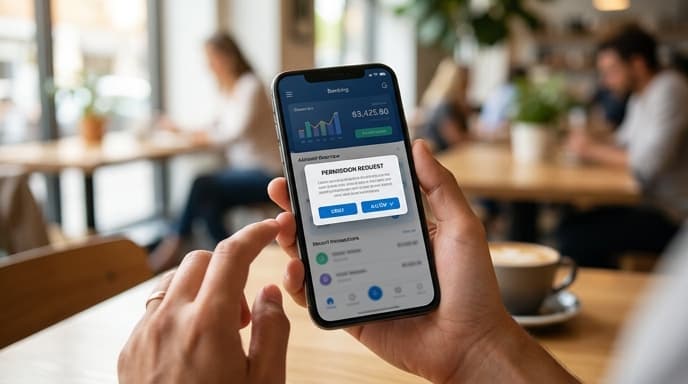
Reviewing mobile clipboard sandboxing in banking shows how modern mobile operating systems restrict pasteboard memory access, preventing background applications from harvesting financial credentials.
The Vulnerability of the Legacy Global Clipboard
In older smartphone architectures, any application could poll the system pasteboard API at any time. An app did not require active screen focus or special system permissions to read the clipboard.
This exposed user data to background monitoring. An installed utility, game, or advertising library could monitor the clipboard continuously. When a user copied a banking password or account number, the application could log the text and send it to an external server without user notification.
Sandboxing Mechanics and Explicit User Consent
Modern Android and iOS releases protect clipboard memory through process isolation and access controls:
- Foreground Requirement: An application can read clipboard memory only when it is actively running in the foreground. Background applications cannot read the pasteboard.
- Access Notifications: When an active app reads the clipboard, the operating system shows an on-screen banner identifying the application that accessed the data.
- Explicit Paste Prompts: Operating systems require users to tap a system-rendered paste button to confirm intent before passing clipboard text to an input field.
These controls stop applications from reading clipboard contents without user interaction.
Developer Protections: Transient and Sensitive Flags
Financial software developers use operating system flags to further restrict how clipboard data is handled. Banking apps and password managers can mark copied strings as sensitive.
When a string is flagged as sensitive, the operating system excludes it from clipboard history logs, disables synchronization to linked desktop devices over cloud clipboards, and clears the data from memory after 60 to 90 seconds.
Frequently Asked Questions
Can a background app still read my copied bank password?
No. Current versions of iOS and Android block background applications from reading the clipboard. Only active foreground apps can request pasteboard data.
Why should I avoid third-party keyboard apps for mobile banking?
Third-party keyboards process text entry directly. If granted full access, a keyboard can record keystrokes regardless of clipboard sandboxing. Use the system default keyboard for banking.
What is Universal Clipboard, and does it create security risks?
Universal Clipboard syncs copied text across devices tied to the same user account. If an unlocked computer is left unattended, copied credentials can be accessed there unless the source app flags the text as sensitive.
Key Takeaways
- Legacy mobile platforms allowed any installed app to read copied text in the background.
- Modern mobile operating systems restrict clipboard access to active foreground applications.
- System banners alert users whenever an app reads data from the clipboard.
- Sensitive flags prevent copied passwords from appearing in clipboard history or syncing to other devices.
- Default system keyboards prevent third-party logging during financial logins.
Related Reading
- Biometric App Locks on Mobile Banking: Device Passcode vs. Secure Hardware
- Hardware Security Modules vs StrongBox: How Modern Phones Store Banking Keys
- SIM-Binding Mandates in Banking Apps: How Hardware Identity Locks Stop Remote Takeovers