
When you log in to an online brokerage account or financial platform, your operating system relies on low-level drivers to protect cryptographic sessions, memory space, and keystrokes. If a computer's boot process is infected by a UEFI bootkit, malicious code runs before the operating system kernel starts. A bootkit operating at that level can disable memory protections, evade antivirus detection, and capture credentials without showing up in system logs.
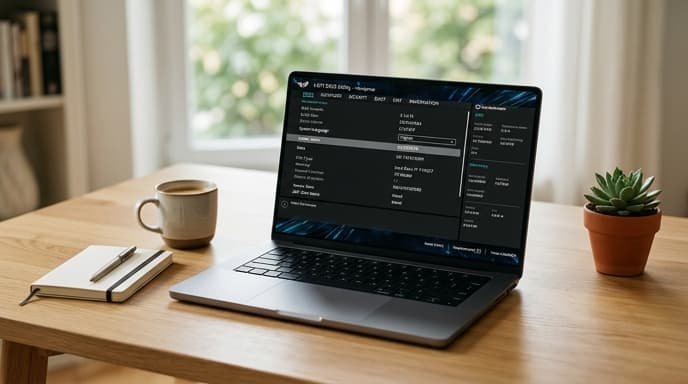
Setting up UEFI Secure Boot for trading laptops ensures that system components are cryptographically signed and verified before execution starts.
How Secure Boot Enforces Bootloader Integrity
UEFI Secure Boot verifies the signature of every binary loaded during startup. It relies on cryptographic keys stored in non-volatile motherboard storage:
- Platform Key (PK): The root trust anchor installed by the hardware manufacturer.
- Key Exchange Key (KEK): Controls updates to the signature databases.
- Authorized Signature Database (db): Contains certificates and hashes for approved bootloaders, kernels, and system drivers.
- Forbidden Signature Database (dbx): Contains revoked hashes for vulnerable or malicious boot files that must not run.
When the computer starts, firmware in motherboard ROM reads the storage drive's bootloader, hashes it, and checks that hash against the db and dbx databases. If the signature is missing, invalid, or listed in the revocation database, the hardware refuses to boot.
Step-by-Step Configuration and Validation on Trading Hardware
Follow these steps to configure and verify Secure Boot on your trading computer:
- Access the UEFI setup: Restart the system and press the firmware key (such as
F2,F10,F12, orDel) during startup. - Navigate to Security options: Open the Security or Boot section in the UEFI menu.
- Enable Secure Boot: Set Secure Boot to Enabled. Select Standard mode rather than Custom or Audit mode.
- Update the Revocation Database (dbx): Install current UEFI revocation list updates via your operating system update tools or vendor firmware utilities to protect against known vulnerable bootloaders.
- Verify in the Operating System: On Windows, run
msinfo32.exeand check that Secure Boot State says On. On Linux, runbootctl statusormokutil --sb-stateto verify status.
Pairing Secure Boot with TPM 2.0 Platform Configuration Registers
Secure Boot works alongside the Trusted Platform Module (TPM 2.0). As startup files are verified, their hashes are measured into the TPM's Platform Configuration Registers (PCRs).
If someone attaches an unauthorized drive, modifies startup files, or changes system firmware, the PCR values change. When this occurs, the TPM refuses to release disk encryption keys (such as BitLocker or LUKS), leaving the drive encrypted and protecting trading files and saved sessions.
FAQ
Does enabling Secure Boot slow down system boot times or trading performance?
No. Hash checks take milliseconds during early hardware startup. Once the operating system loads, Secure Boot has no impact on system speed, data feeds, or charting tools.
Can I trade using Linux with Secure Boot enabled?
Yes. Major Linux distributions include bootloaders signed by Microsoft's third-party UEFI Certificate Authority, enabling them to boot with Secure Boot turned on. For custom kernels, use the Machine Owner Key (MOK) utility to enroll your own signing key.
What should I do if a system firmware update disables Secure Boot?
Motherboard updates sometimes revert UEFI settings to factory defaults. After applying any firmware or BIOS update, open your system information tool to confirm that Secure Boot remains active.
Key Takeaways
- UEFI bootkits load ahead of the operating system kernel, making them invisible to regular antivirus tools.
- Secure Boot uses cryptographic keys in motherboard ROM to verify startup binaries before execution.
- Unsigned or revoked bootloaders are halted at the hardware level.
- Secure Boot measurements work with TPM 2.0 PCRs to block drive decryption if startup files are modified.
- Check Secure Boot status after installing motherboard firmware updates.
Related Reading
- Biometric App Locks on Mobile Banking: Device Passcode vs. Secure Hardware
- Hardware Security Modules vs StrongBox: How Modern Phones Store Banking Keys
- Workstation Compartmentalization: Running Financial Accounts in Isolated Virtual Machines