
Brokerage accounts face constant credential stuffing and reverse-proxy phishing attempts. Traditional multi-factor methods, such as SMS codes or mobile push prompts, remain vulnerable when a user is tricked into entering details on a fraudulent clone site. Using a hardware-backed WebAuthn brokerage login stops domain spoofing through origin-bound cryptographic handshakes.
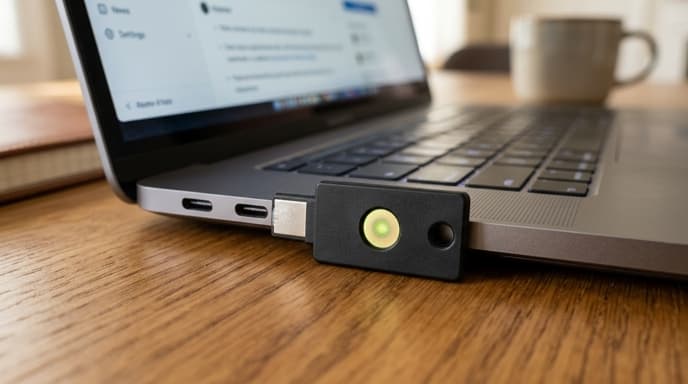
The WebAuthn specification includes two credential structures: discoverable credentials (also known as resident keys) and non-resident credentials. Understanding how they work helps you pick the right security setup and avoid account lockouts.
Resident vs. Non-Resident Credentials: The Silicon Boundary
The core difference between these two approaches comes down to where user data and private keys are stored:
- Non-Resident Credentials (Standard FIDO2): The physical key holds a single master secret. When registering an account, the device generates an encrypted key handle containing your user ID and sends it to the broker. The key stores nothing internally, allowing one hardware token to work with an unlimited number of accounts.
- Discoverable Credentials (Resident Keys): The hardware key writes your user ID, username, and the unique private key straight into its onboard flash memory. When signing in, you do not need to enter a username; the browser queries the key, and the device presents your account identity directly.
Because physical authenticators have limited memory—typically storing 25 to 100 resident keys—you must manage storage space if you use resident credentials across multiple services.
The Cryptographic Handshake Against Phishing
WebAuthn prevents phishing because credentials are tied to the website domain. When authentication begins, your browser passes the broker's exact web origin to your hardware token using the Client to Authenticator Protocol.
The token signs a payload that includes that origin along with a cryptographic challenge from the server. If an attacker lures you to a lookalike domain, the browser passes the attacker's actual domain to the key. Because the resulting signature does not match the broker's real domain, the broker's server rejects the login immediately.
Architecting Redundancy for High-Value Financial Accounts
Relying on one physical security key is a single point of failure. If you lose the token while traveling, you risk losing access to your brokerage account during volatile market conditions.
Set up two separate keys for critical financial services:
- Register a primary hardware key for daily use at your desk.
- Register a backup hardware key and keep it stored in a secure location at home.
- Confirm that both keys authenticate successfully before disabling fallback sign-in methods.
Disable SMS or email recovery options once both keys are configured, as insecure recovery fallbacks bypass the protection of hardware keys.
Frequently Asked Questions
Do all major retail brokerages support WebAuthn hardware keys?
Support varies. While large international brokers support FIDO2 and WebAuthn hardware keys as primary or secondary factors, some regional platforms still rely on SMS or proprietary apps. Check your broker's security settings to see if it supports FIDO2 standards.
Can I store discoverable credentials on my smartphone instead of a dedicated USB key?
Yes. Smartphones can function as FIDO2 authenticators using their integrated secure processors. However, standalone USB or NFC keys maintain a separate physical boundary independent of mobile operating system updates and phone connectivity.
What happens if I lose a hardware key configured with non-resident credentials?
Whoever finds the key cannot authenticate without your account details and the device PIN. The physical key alone does not reveal which accounts it belongs to or generate valid signatures without the user PIN.
Key Takeaways
- WebAuthn provides phishing-resistant authentication by binding cryptographic signatures to verified domain origins.
- Discoverable credentials store your account identity directly inside hardware memory, enabling user-nameless sign-in.
- Non-resident credentials store encrypted handles on the server, permitting unlimited account pairings on a single token.
- A primary and secondary hardware key pairing is required to prevent account lockout in the event of device loss.
- Legacy fallback channels like SMS must be disabled to maintain the integrity of hardware-level protections.
Related Reading
- Configuring YubiKey FIDO2 Security on Retail Brokerage Accounts
- Push Notifications vs Hardware TOTP Tokens for Banking Authorization
- How Passkeys Change Banking Security and What Happens When Your Phone Fails